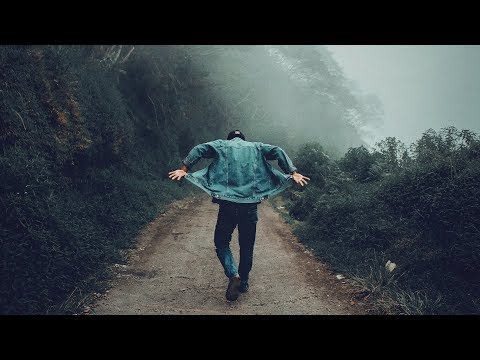
Die Wiedergabe lädt den eingebetteten YouTube-Player (erweiterter Datenschutzmodus).
Cinematografische Farbkorrektur für den Film-Look – Photoshop-Anleitung
KanalPhotoshop Tutorials by Layer LifeBeschreibung des Urhebers
In diesem Photoshop-Tutorial zeige ich dir, wie du mit *Color Grading* deinen Fotos einen professionellen Film-Look verpasst. Ich nutze verschiedene Einstellungsebenen wie Gradienten, Kanalmischer, selektive Farbe, Farbbalance und Kurven.
Fragen oder Hilfe? Schreib einfach einen Kommentar!
Foto:
Musik:
Aakash Gandhi – Lunar Levitation
VYEN – Beth
YouTube Audio-Bibliothek
Fragen oder Hilfe? Schreib einfach einen Kommentar!
Foto:
Musik:
Aakash Gandhi – Lunar Levitation
VYEN – Beth
YouTube Audio-Bibliothek
Über dieses Tutorial
Photoshop Tutorials by Layer Life hat dieses 4:23 lange Video-Tutorial am 11. November 2018 veröffentlicht. Es wurde 211.146-mal auf YouTube angesehen.
- Kategorie
- Bildung
- Dauer
- 4:23
- Veröffentlicht
- 11. November 2018
- Aufrufe
- 211.146
- Likes
- 4.545
Teilen
Dieses Tutorial in anderen Sprachen
- ENCinematic Color Grading for Movie Look Effect - Photoshop Tutorial
- FRCinematic couleur classement pour le film Regardez Effet - Tutorial Photoshop
- ESCinemática de clasificación de color para la película se vea Efecto - Tutorial de Photoshop
- PTCinematic gradação de cores para filme parecer Effect - Photoshop Tutorial
- ITCinematic Color Grading per Film sguardo Effect - Photoshop Tutorial
- NLCinematic kleurcorrectie voor Movie Look Effect - Photoshop Tutorial
- RUCinematic цветокоррекция для фильма Look Effect - Photoshop Tutorial
- PLCinematic Kolor Normy dla filmu Look Effect - Photoshop Tutorial
- JAPhotoshopのチュートリアル - 映画ルック効果のためのシネマティックカラーグレーディング
- ARسينمائية درجات اللون لفيلم نظرة تأثير - دروس فوتوشوب
- HIमूवी देखो प्रभाव के लिए सिनेमाई रंग ग्रेडिंग - फ़ोटोशॉप ट्यूटोरियल
- IDSinematik Warna Grading untuk Film Lihat Effect - Photoshop Tutorial