La lecture charge le lecteur YouTube intégré (mode confidentialité renforcée).
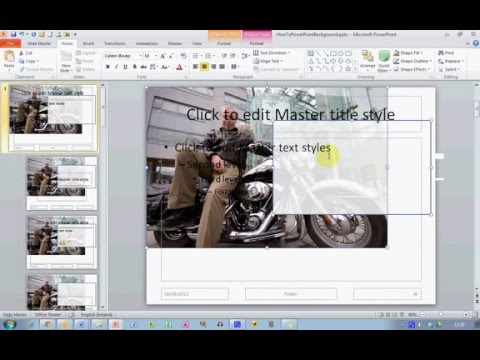
Comment utiliser vos propres photos comme fond de diapositive dans PowerPoint
ChaîneEugene O'LoughlinDescription de l’auteur
Découvrez comment créer des fonds personnalisés avec vos propres photographies. Grâce à des formes transparentes, vous pouvez « estomper » l’image pour obtenir un arrière-plan de diapositive que vous pourrez réutiliser sur toutes vos slides.
À propos de ce tutoriel
Eugene O'Loughlin a publié ce tutoriel vidéo de 4:57 le 31 octobre 2012. Il a été vu 553 961 fois sur YouTube.
- Chaîne
- Eugene O'Loughlin
- Catégorie
- Éducation
- Durée
- 4:57
- Publié le
- 31 octobre 2012
- Vues
- 553 961
- J’aime
- 3 030
Partager
Ce tutoriel dans d’autres langues
- ENHow To... Use Your Own Photos as a Slide Background in PowerPoint
- ESCómo ... Utilice sus propias fotos como fondo de diapositivas en PowerPoint
- PTComo ... usar suas próprias fotos como um fundo de slides no PowerPoint
- ITCome ... utilizzare le proprie foto come sfondo diapositiva in PowerPoint
- DEHow To ... Eigene Fotos als Dia-Hintergrund in Powerpoint verwenden
- NLHow To ... Gebruik uw eigen foto's als achtergrond van een dia in PowerPoint
- RUКак ... использовать свои собственные фотографии в качестве фона слайда в PowerPoint
- PLJak ... Użyj własnych zdjęć jako tła slajdu w programie PowerPoint
- JAどのようにするためには... PowerPointのスライドの背景として自分の写真を使用してください
- ARكيفية استخدام ... الخاصة صورك بمثابة خلفية الشريحة في PowerPoint
- HIकैसे करने के लिए ... PowerPoint में एक स्लाइड पृष्ठभूमि के रूप में प्रयोग करें अपनी खुद की तस्वीरें
- IDBagaimana ... Menggunakan Sendiri Foto Anda sebagai Background Slide di PowerPoint