La lecture charge le lecteur YouTube intégré (mode confidentialité renforcée).
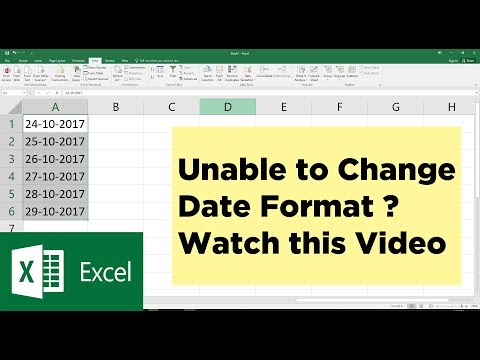
Impossible de changer le format de date dans Excel ? Voici la solution ! | Tutoriel Excel
ChaîneMITutorialsDescription de l’auteur
Parfois, vous ne pouvez pas modifier le format d’une date dans Excel parce qu’elle est enregistrée en tant que texte. Dans ce tutoriel, je vous montre comment la convertir en utilisant l’option *Texte en colonnes* d’Excel.
À propos de ce tutoriel
MITutorials a publié ce tutoriel vidéo de 1:30 le 10 novembre 2017. Il a été vu 1 237 523 fois sur YouTube.
- Chaîne
- MITutorials
- Catégorie
- Éducation
- Durée
- 1:30
- Publié le
- 10 novembre 2017
- Vues
- 1 237 523
- J’aime
- 8 430
Partager
Ce tutoriel dans d’autres langues
- ENUnable to Change Date Format in Excel ? You need to watch this | Microsoft Excel Tutorial
- ESNo se puede cambiar de formato de fecha en Excel? Es necesario para ver este | Microsoft Excel Tutorial
- PTNão é possível alterar Formato de data no Excel? Você precisa assistir a este | Microsoft Excel Tutorial
- ITImpossibile modificare formato di data in Excel? Hai bisogno di guardare questo | Microsoft Excel Tutorial
- DENicht imstande, Datumsformat in Excel zu ändern? Sie müssen diese Uhr | Microsoft Excel Tutorial
- NLKan Datumnotatie wijzigen in Excel? U moet dit horloge | Microsoft Excel Tutorial
- RUНевозможно изменить формат даты в Excel? Вы должны смотреть на это | Excel Учебное пособие Microsoft
- PLNie można zmienić format daty w programie Excel? Trzeba uważać to | Microsoft Excel Tutorial
- JAExcelで日付形式を変更することができませんか?あなたはこれを見てする必要があります| Microsoft Excelのチュートリアル
- ARغير قادر على تغيير تنسيق التاريخ في Excel؟ كنت بحاجة لمشاهدة هذا | مايكروسوفت اكسل دروس
- HIExcel में दिनांक स्वरूप को बदलने में असमर्थ? आप इस देखने की जरूरत है | माइक्रोसॉफ्ट एक्सेल ट्यूटोरियल
- IDTidak Mengubah Format Tanggal di Excel? Anda perlu untuk menonton ini | Microsoft Excel Tutorial