La lecture charge le lecteur YouTube intégré (mode confidentialité renforcée).
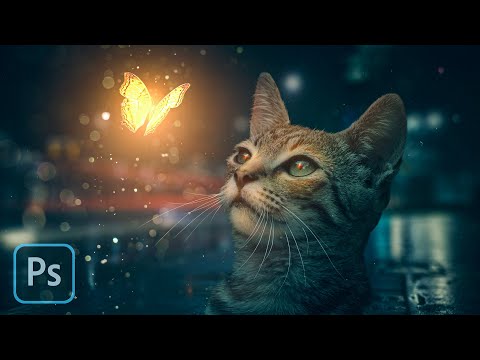
Tutoriel Photoshop : Créer une scène cinématographique de papillon lumineux avec un chat
ChaîneLearning ScreenDescription de l’auteur
Apprenez à réaliser une manipulation visuelle époustouflante d’un papillon lumineux autour d’un chat dans Photoshop CC
🔴 Obtenez la vidéo complète en temps réel, le fichier PSD, les images et les pinceaux : 👉
► Image utilisée ------------------------------------
► MUSIQUE ______________
Licence Creative Commons — Attribution 3.0 — CC BY 3.0
► ET SI ON SE SUIVAIT :
🔴 Obtenez la vidéo complète en temps réel, le fichier PSD, les images et les pinceaux : 👉
► Image utilisée ------------------------------------
► MUSIQUE ______________
Licence Creative Commons — Attribution 3.0 — CC BY 3.0
► ET SI ON SE SUIVAIT :
À propos de ce tutoriel
Learning Screen a publié ce tutoriel vidéo de 15:27 le 10 juin 2020. Il a été vu 1 099 892 fois sur YouTube.
- Chaîne
- Learning Screen
- Catégorie
- Éducation
- Durée
- 15:27
- Publié le
- 10 juin 2020
- Vues
- 1 099 892
- J’aime
- 29 618
Partager
Ce tutoriel dans d’autres langues
- ENCat Butterfly Manipulation Photoshop Tutorial
- ESManipulación de la mariposa del gato Tutorial de Photoshop
- PTManipulação borboleta do gato Photoshop Tutorial
- ITCat farfalla manipolazione Photoshop Tutorial
- DEKatzen-Schmetterlings-Manipulation Photoshop Tutorial
- NLButterfly Cat Manipulation Photoshop Tutorial
- RUCat Butterfly Манипуляция Photoshop Учебник
- PLKot Butterfly Manipulacja Photoshop Tutorial
- JA猫蝶の操作Photoshopのチュートリアル
- ARالقط فراشة التلاعب دروس فوتوشوب
- HIबिल्ली तितली हेरफेर फ़ोटोशॉप ट्यूटोरियल
- IDCat Kupu-kupu Manipulasi Photoshop Tutorial