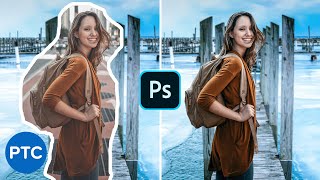
20:36 Comment supprimer N'IMPORTE QUOI d'une photo dans Photoshop Photoshop Training Channel6,7 M vues
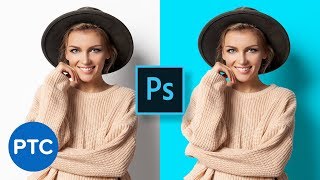
5:23 Comment changer la couleur de fond dans Photoshop (Rapide & Facile !) Photoshop Training Channel3,6 M vues
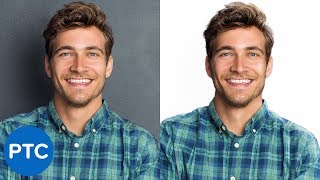
21:52 Comment créer un fond blanc dans Photoshop - Processus complet Photoshop Training Channel2,3 M vues
30:15 Comment intégrer un sujet dans N'IMPORTE QUEL fond avec Photoshop ! Tutoriel de composition Photoshop Training Channel2,2 M vues
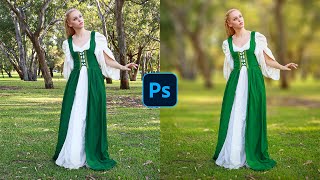
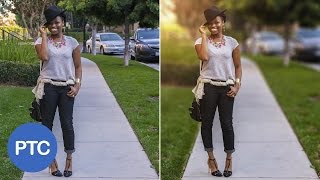
10:59 Comment flouter l’arrière-plan dans Photoshop [RAPIDE & FACILE !] Photoshop Training Channel2 M vues
8:27 Comment écrire du texte en cercle dans Photoshop - Tutoriel pour du texte sur un trajet circulaire Photoshop Training Channel1,6 M vues
5:48 Comment redimensionner une image SANS la déformer - Tutoriel Photoshop Photoshop Training Channel1,3 M vues
13:52 Comment flouter l’arrière-plan dans Photoshop – Effet de profondeur de champ réduite avec le filtre Flou de lentille Photoshop Training Channel1,2 M vues
19:59 Comment changer la couleur de N'IMPORTE QUOI dans Photoshop | Sélection et modification de couleurs Photoshop Training Channel1,1 M vues
26:40 Comment découper N'IMPORTE QUOI dans Photoshop [Tutoriel Sélection et Masque] Photoshop Training Channel963 k vues
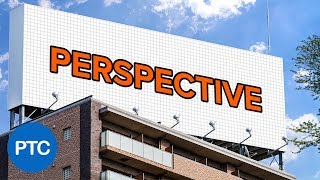
19:42 Comment changer la perspective de N'IMPORTE QUOI dans Photoshop - Guide de Perspective Warp Photoshop Training Channel942 k vues
8:42 Comment choisir et changer les couleurs dans Photoshop - Remplacer les couleurs d’une photo Photoshop Training Channel889 k vues
3:41 Comment insérer une image dans du texte avec Photoshop [RAPIDE & SIMPLE] Photoshop Training Channel776 k vues
6:47 Comment découper une photo en cercle dans Photoshop (Rapide et facile !) Photoshop Training Channel767 k vues
14:07 Comment changer de coiffure dans Photoshop - Tutoriel d'échange de cheveux réaliste Photoshop Training Channel597 k vues
16:59 Méthode maline pour dessiner des BD à partir de vos photos ! Tutoriel Photoshop Photoshop Training Channel542 k vues
7:05 Comment créer une brosse de fumée/brouillard dans Photoshop Photoshop Training Channel497 k vues
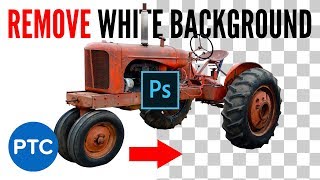
6:04 Comment supprimer un fond blanc dans Photoshop [MÉTHODE RAPIDE & SIMPLE !] Photoshop Training Channel407 k vues
31:19 Comment vieillir quelqu’un dans Photoshop – Tutoriel Jeune à Vieux Photoshop Training Channel401 k vues
11:37 Comment placer N'IMPORTE QUOI que ce soit en perspective dans Photoshop (méthode non destructive) [Tutoriel professionnel] Photoshop Training Channel382 k vues
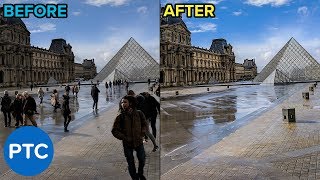
11:15 Comment supprimer des personnes sur des photos avec Photoshop Photoshop Training Channel371 k vues
13:14 Comment changer la couleur des cheveux dans Photoshop - Technique PUISSANTE et SIMPLE ! Photoshop Training Channel307 k vues
7:32 Comment utiliser le Liquéfier Intelligent des Visages dans Photoshop Photoshop Training Channel300 k vues
24:25 Comment changer la couleur des cheveux dans Photoshop (même du noir en blond) Photoshop Training Channel279 k vues
13:53 Comment changer la couleur de fond dans Photoshop - Tutoriel complet Photoshop Training Channel277 k vues
12:33 Comment ajuster et modifier les traits du visage dans Photoshop Photoshop Training Channel254 k vues
34:25 Tutoriels Adobe Dimension CC - Apprenez à utiliser Adobe Dimension CC - COURS INTENSIF Photoshop Training Channel252 k vues
11:43 Comment correspondre les polices dans Photoshop CC – Le GUIDE COMPLET pour trouver la police parfaite Photoshop Training Channel231 k vues
20:42 Comment flouter un arrière-plan dans Photoshop – Effet de profondeur de champ facile et réaliste Photoshop Training Channel231 k vues
4:32 Comment faire un GIF animé dans Photoshop (rapide et facile!) Photoshop Training Channel160 k vues
20:31 Correspondance des couleurs dans Photoshop Tutorial (Lab Mode couleur) - couleur Pantone de l'année Photoshop Training Channel136 k vues
9:07 Comment ajouter RÉALISTE Tattoo dans Photoshop - Photoshop Tutorial faux tatouage Photoshop Training Channel125 k vues
8:39 Comment COLOR TONE dans Photoshop avec la couleur sélective [EFFET CINÉMATOGRAPHIQUE] Photoshop Training Channel87 k vues
15:49 Comment faire pour créer des lignes d'action comique et modèles dans Photoshop tramées en utilisant le kit Comic Photoshop Training Channel82 k vues
5:30 Comment faire beau personnalisable ombres dans Photoshop Goutte Photoshop Training Channel81 k vues
22:00 Dessin au crayon Effet d'une photo dans Photoshop - La conception Ninja Invité Tutoriel Photoshop Photoshop Training Channel78 k vues
28:48 Comment utiliser le filtre Displace Dans Photoshop - cartes de déplacement Photoshop Training Channel77 k vues
11:10 Faire un effet de texte CHROME 3D et en faire un Rotating Animated GIF - Tutorial Photoshop Photoshop Training Channel73 k vues
3:23 Comment faire pour changer des yeux couleur dans Photoshop - 90 secondes Astuce # 06 Photoshop Training Channel53 k vues
15:52 Comment faire votre Photoshop IMMÉDIATEMENT COMPOSITES mieux avec la perspective atmosphérique! Photoshop Training Channel34 k vues