La lecture charge le lecteur YouTube intégré (mode confidentialité renforcée).
Créer une clé USB bootable avec l’invite de commandes
ChaîneCommand LearnersDescription de l’auteur
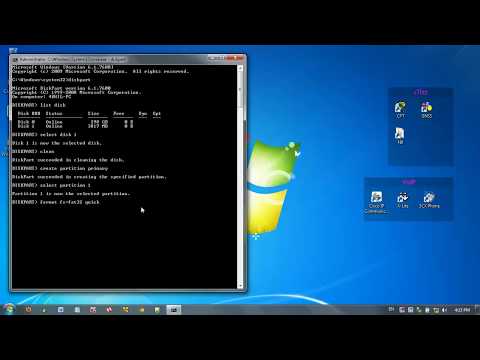
Dans cette vidéo, je montre comment créer une clé USB bootable pour Windows 7 en utilisant l’invite de commandes. Les étapes sont en réalité les mêmes pour Windows XP, Vista ou Windows 8.
À propos de ce tutoriel
Command Learners a publié ce tutoriel vidéo de 6:21 le 2 novembre 2013. Il a été vu 1 618 983 fois sur YouTube.
- Chaîne
- Command Learners
- Catégorie
- Vlogs & lifestyle
- Durée
- 6:21
- Publié le
- 2 novembre 2013
- Vues
- 1 618 983
- J’aime
- 6 653
Partager
Ce tutoriel dans d’autres langues
- ENHow to make a Bootable USB flash drive using Command Prompt
- ESComo hacer una unidad flash USB de arranque usando el símbolo del sistema
- PTComo fazer uma unidade flash USB inicializável usando Command Prompt
- ITCome fare un flash drive USB avviabile tramite prompt dei comandi
- DEWie man einen bootfähige USB-Stick macht mit Eingabeaufforderung
- NLHoe om een bootable USB flash drive met behulp van Command Prompt
- RUКак сделать флэш-накопитель Загрузочный USB с помощью командной строки
- PLJak zrobić dysk flash USB Bootable użyciu Command Prompt
- JAコマンドプロンプトを使用してブート可能なUSBフラッシュドライブを作成する方法
- ARكيفية جعل محرك أقراص فلاش USB قابل للتشغيل باستخدام موجه الأوامر
- HIकमांड प्रॉम्प्ट का उपयोग कर एक बूटेबल यूएसबी फ्लैश ड्राइव बनाने के लिए कैसे
- IDCara membuat Bootable USB flash drive dengan menggunakan Command Prompt