La lecture charge le lecteur YouTube intégré (mode confidentialité renforcée).
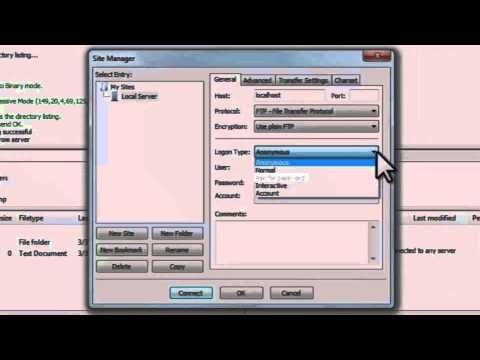
Tutoriel FileZilla : installation et utilisation du client FTP
ChaîneJAGTutorialsDescription de l’auteur
FileZilla existe sous forme de serveur FTP et de client FTP, mais ce tutoriel ne couvre que ce dernier.
FileZilla est un logiciel Open Source et entièrement gratuit.
Il prend en charge les protocoles FTP et SFTP.
Disponible pour Windows, Linux et macOS.
FileZilla est un logiciel Open Source et entièrement gratuit.
Il prend en charge les protocoles FTP et SFTP.
Disponible pour Windows, Linux et macOS.
À propos de ce tutoriel
JAGTutorials a publié ce tutoriel vidéo de 16:19 le 6 novembre 2012. Il a été vu 459 852 fois sur YouTube.
- Chaîne
- JAGTutorials
- Catégorie
- Science & technologie
- Durée
- 16:19
- Publié le
- 6 novembre 2012
- Vues
- 459 852
- J’aime
- 1 103
Partager
Ce tutoriel dans d’autres langues
- ENFileZilla FTP Client - Setup/Install/Use [Tutorial]
- ESFileZilla Cliente FTP - Configuración / Instalación / Uso [Tutorial]
- PTFileZilla FTP Client - configuração / instalação / Use [Tutorial]
- ITFileZilla FTP Client - Setup / Installazione / Usa [Tutorial]
- DEFileZilla FTP-Client - Setup / Install / Verwenden [Tutorial]
- NLFileZilla FTP Client - Setup / Install / Gebruik [Tutorial]
- RUFileZilla FTP Client - Setup / Установка / Использование [Учебник]
- PLFileZilla FTP Client - Konfiguracja / zainstalować / używać [Tutorial]
- JAFileZillaのFTPクライアント - セットアップ/インストール/使用[チュートリアル]
- ARبروتوكول نقل الملفات FileZilla العميل - إعداد / تثبيت / استخدام [دروس]
- HIFileZilla FTP क्लाइंट - सेटअप / स्थापना / उपयोग [ट्यूटोरियल]
- IDFileZilla FTP Client - Setup / Install / Gunakan [Tutorial]