Pemutaran memuat pemutar YouTube tersemat (mode privasi yang ditingkatkan).
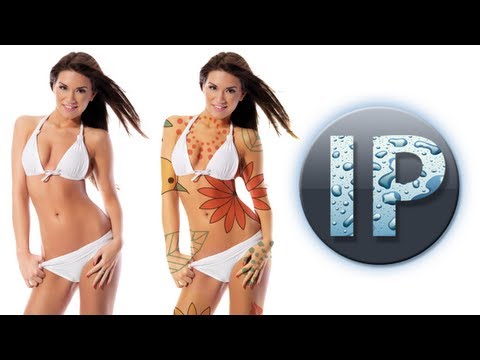
Adobe Photoshop Elements 11, 10 Membuat Tato menggunakan Pemindahan Photoshop Elements Tutorial
SaluranInfoPuppetTentang tutorial ini
InfoPuppet memublikasikan tutorial video berdurasi 6:58 ini pada 6 November 2013. Video ini telah ditonton 14.197 kali di YouTube.
- Saluran
- InfoPuppet
- Kategori
- Tips & Gaya
- Durasi
- 6:58
- Dipublikasikan
- 6 November 2013
- Penayangan
- 14.197
- Suka
- 89
Bagikan
Tutorial ini dalam bahasa lain
- ENAdobe Photoshop Elements 11, 10 Creating Tattoos using Displacement Photoshop Elements Tutorial
- FRAdobe Photoshop Elements 11, 10 Création d'Tatouages à l'aide au déplacement de Photoshop Elements Tutorial
- ESAdobe Photoshop Elements 11, 10 Creación de tatuajes utilizando Desplazamiento Photoshop Elements Tutorial
- PTAdobe Photoshop Elements 11, 10 Criando Tatuagens usando Deslocamento Photoshop Elements Tutorial
- ITAdobe Photoshop Elements 11, 10 Creazione di tatuaggi utilizzando Displacement Tutorial Photoshop Elements
- DEAdobe Photoshop Elements 11, 10 Erstellen von Tattoos mit Displacement Photoshop Elements Tutorial
- NLAdobe Photoshop Elements 11, 10 Creëren Tattoos gebruik Verplaatsing Photoshop Elements Tutorial
- RUAdobe Photoshop Elements 11, 10 Создание татуировки с помощью Displacement Photoshop Elements Учебник
- PLAdobe Photoshop Elements 11, 10 Tworzenie Tatuaże użyciu skokowa Tutorial Photoshop Elements
- JAアドビPhotoshop Elementsの11、10変位Photoshop Elementsのチュートリアルを使用しての入れ墨を作成します
- ARعناصر أدوبي فوتوشوب 11، 10 خلق الوشم باستخدام المهجرين عناصر فوتوشوب دروس
- HIएडोब फोटोशॉप तत्वों 11, 10 विस्थापन फ़ोटोशॉप तत्वों ट्यूटोरियल का उपयोग कर टैटू बनाना