La riproduzione carica il player incorporato di YouTube (modalità privacy avanzata).
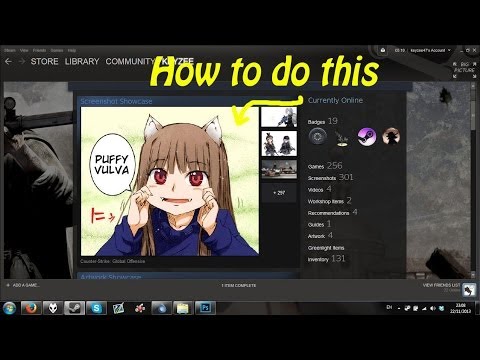
Come aggiungere immagini al tuo profilo Steam senza rischiare che vengano rimosse
CanaleKeyzeeDescrizione dell’autore
Ti mostro un metodo alternativo per caricare immagini sul tuo profilo Steam che non finirà con la loro rimozione.
Ricorda:
Niente nudità
Niente parolacce (per gli americani: *cussing*)
Ricorda:
Niente nudità
Niente parolacce (per gli americani: *cussing*)
Informazioni su questo tutorial
Keyzee ha pubblicato questo video tutorial di 5:19 il 8 novembre 2014. È stato visto 247.962 volte su YouTube.
- Canale
- Keyzee
- Categoria
- Videogiochi
- Durata
- 5:19
- Pubblicato
- 8 novembre 2014
- Visualizzazioni
- 247.962
- Mi piace
- 1.613
Condividi
Questo tutorial in altre lingue
- ENHow to put images on your Steam profile using screenshots
- FRComment mettre des images sur votre profil Steam en utilisant les screenshots
- ES¿Cómo poner imágenes en su perfil de vapor utilizando las capturas
- PTComo colocar imagens no seu perfil vapor usando screenshots
- DESo platzieren Sie Bilder auf Ihrem Steam-Profil Screenshots mit
- NLHoe u afbeeldingen op uw Steam profiel kan zetten met behulp van screenshots
- RUКак поместить изображения в профиле пары, используя скриншоты
- PLJak umieścić zdjęcie na swoim profilu pary za pomocą zrzutów ekranu
- JAスクリーンショットを使用して、スチームのプロフィールに画像を配置する方法
- ARكيفية وضع الصور على الشخصية البخار باستخدام لقطات
- HIकैसे स्क्रीनशॉट का उपयोग कर अपने स्टीम प्रोफ़ाइल पर छवियों डाल करने के लिए
- IDBagaimana menempatkan gambar pada profil Uap Anda menggunakan screenshot