La riproduzione carica il player incorporato di YouTube (modalità privacy avanzata).
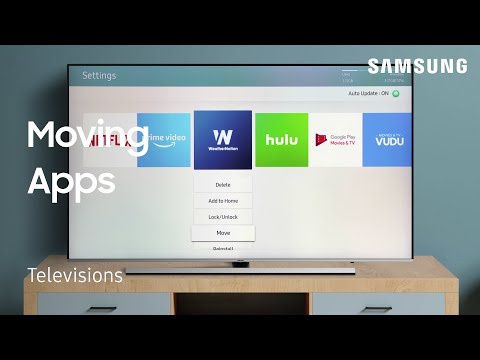
Come spostare e riordinare le app sulla tua TV Samsung
CanaleSamsung CareDescrizione dell’autore
Con Smart Hub le possibilità sono infinite! Guarda film, streaming di contenuti, scarica le tue app preferite per allenamenti e persino giochi! In questo video ti mostriamo come spostare le app già installate per cambiare la disposizione e personalizzare la schermata. Ti mostriamo anche come spostare le app direttamente nel lanciatore delle app Smart Hub, che si trova proprio sulla home. Così avrai i tuoi preferiti sempre a portata di mano!
Informazioni su questo tutorial
Samsung Care ha pubblicato questo video tutorial di 1:31 il 29 ottobre 2018. È stato visto 436.606 volte su YouTube.
- Canale
- Samsung Care
- Categoria
- Fai da te e stile
- Durata
- 1:31
- Pubblicato
- 29 ottobre 2018
- Visualizzazioni
- 436.606
- Mi piace
- 613
Condividi
Questo tutorial in altre lingue
- ENHow to move and rearrange Apps on your TV | Samsung US
- FRComment déplacer et réorganiser Apps sur votre téléviseur | Samsung US
- ESCómo mover y reorganizar aplicaciones en el televisor | Samsung de EE.UU.
- PTComo mover e reorganizar Apps na sua TV | Samsung US
- DESo verschieben und neu anordnen Apps auf Ihrem Fernseher | Samsung US
- NLHoe om te bewegen en te herschikken Apps op uw TV | Samsung US
- RUКак переместить и изменить приложения на экране телевизора | Samsung США
- PLJak przenieść i zmienić aplikacje na ekranie telewizora | Samsung US
- JAお使いのテレビにアプリを移動して再配置する方法|サムスン米国
- ARكيفية نقل وإعادة ترتيب التطبيقات على جهاز التلفزيون | سامسونج الولايات المتحدة
- HIकैसे ले जाएँ और अपने टीवी पर ऐप्स पुनर्व्यवस्थित करने के लिए | सैमसंग अमेरिका
- IDCara memindahkan dan mengatur ulang Apps di TV Anda | Samsung AS