Afspelen laadt de ingesloten YouTube-speler (privacyvriendelijke modus).
Zo voeg je contactpersonen toe in Gmail
KanaalWebPro EducationBeschrijving van de maker
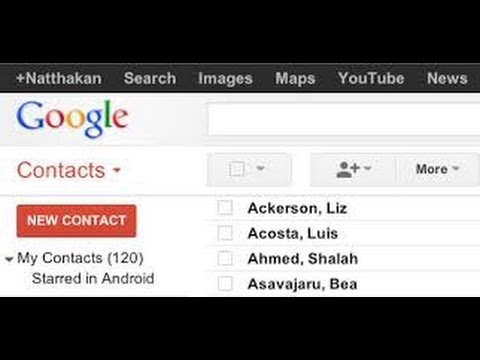
In deze eenvoudige video leg ik uit hoe je contactpersonen kunt toevoegen aan Gmail.
Open je contactenlijst door op *Gmail* in het linkerbovenhoekje van je Gmail-pagina te klikken, vervolgens op *Contacten*.
Klik op de knop *Nieuw contact* in de linkerbovenhoek.
Voer de gegevens van je contact in op de juiste plekken in. Alles wat je invult, wordt direct opgeslagen.
Gmail slaat alles op terwijl je typt.
Open je contactenlijst door op *Gmail* in het linkerbovenhoekje van je Gmail-pagina te klikken, vervolgens op *Contacten*.
Klik op de knop *Nieuw contact* in de linkerbovenhoek.
Voer de gegevens van je contact in op de juiste plekken in. Alles wat je invult, wordt direct opgeslagen.
Gmail slaat alles op terwijl je typt.
Over deze tutorial
WebPro Education publiceerde deze videotutorial van 2:55 op 26 oktober 2014. Hij is 210.259 keer bekeken op YouTube.
- Kanaal
- WebPro Education
- Categorie
- Onderwijs
- Duur
- 2:55
- Gepubliceerd
- 26 oktober 2014
- Weergaven
- 210.259
- Likes
- 218
Delen
Deze tutorial in andere talen
- ENHow To add Contacts In Gmail
- FRComment ajouter des contacts dans Gmail
- ESCómo agregar contactos en Gmail
- PTComo adicionar contatos no Gmail
- ITCome aggiungere contatti in Gmail
- DEWie man Kontakte in Google Mail hinzufügen
- RUКак добавить контакты в Gmail
- PLJak dodać kontakty w Gmailu
- JAGmailでは連絡先を追加する方法
- ARكيف تضيف اتصالات في Gmail
- HIGmail में संपर्क जोड़ने के लिए कैसे
- IDBagaimana Untuk menambahkan Kontak Di Gmail