A reprodução carrega o leitor integrado do YouTube (modo de privacidade melhorada).
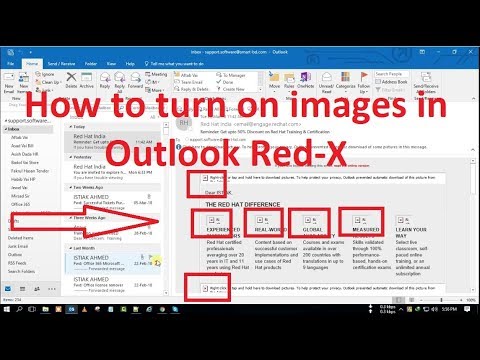
Como ativar imagens no Outlook | Imagens em falta ou não mostrar no Outlook Email - Red X
CanalTechnical Support OnlineSobre este tutorial
Technical Support Online publicou este tutorial em vídeo de 2:55 em 15 de novembro de 2018. Foi visto 66 434 vezes no YouTube.
- Categoria
- Ciência e tecnologia
- Duração
- 2:55
- Publicado
- 15 de novembro de 2018
- Visualizações
- 66 434
- Gostos
- 186
Partilhar
Este tutorial noutros idiomas
- ENHow to turn on images in Outlook | Images Missing or Not Showing in Outlook Email - Red X
- FRComment faire pour activer les images dans Outlook | Images manquantes ou non Affichage dans la messagerie Outlook - Red X
- ESCómo activar las imágenes en Outlook | Imágenes que faltan o no aparece en el correo electrónico de Outlook - X roja
- ITCome attivare le immagini in Outlook | Immagini mancanti o non mostra in Outlook Email - Red X
- DEWie Sie auf die Bilder in Outlook drehen | Bilder Fehlende oder nicht angezeigt in Outlook E-Mail - Red X
- NLHet inschakelen van beelden in Outlook | Afbeeldingen Ontbrekende of niet weergegeven in Outlook E-mail - Red X
- RUКак включить изображения в Outlook, | Изображения Отсутствует или не отображается в электронной почте Outlook - Красный X
- PLJak włączyć obrazów w programie Outlook | Obrazy brakuje lub nie wyświetlono w Outlook Email - Red X
- JAOutlookの画像をオンにする方法|画像の欠落またはOutlookの電子メールに表示されない - レッドX
- ARكيفية تشغيل الصور في Outlook | صور مفقودة أو لا يظهر في البريد الإلكتروني Outlook - الأحمر X
- HIकैसे आउटलुक में छवियों को चालू करने की | छवियाँ गुम या आउटलुक ईमेल में नहीं दिखा - लाल एक्स
- IDCara mengaktifkan gambar di Outlook | Gambar Hilang atau Tidak Menampilkan di Outlook Email - Red X