La reproducción carga el reproductor integrado de YouTube (modo de privacidad mejorada).
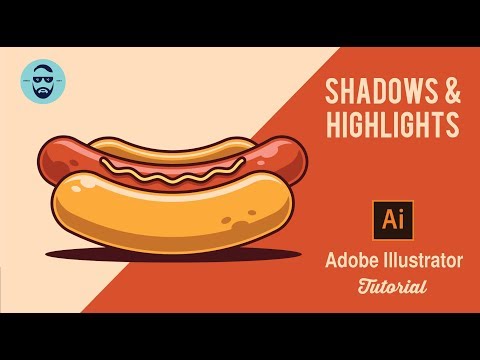
Cómo usar Sombras y Resaltes en Adobe Illustrator CC 2018 – Tutorial vectorial rápido de un perrito caliente
CanalNiko DolaSobre este tutorial
Niko Dola publicó este tutorial en vídeo de 7:01 el 31 de octubre de 2019. Se ha visto 208.111 veces en YouTube.
- Canal
- Niko Dola
- Categoría
- Consejos y estilo
- Duración
- 7:01
- Publicado
- 31 de octubre de 2019
- Visualizaciones
- 208.111
- Me gusta
- 5.655
Compartir
Este tutorial en otros idiomas
- ENHow to use Shadow and Highlights in Adobe Illustrator CC 2018 , Fast Hot dog vector tutorial.
- FRComment utiliser l'ombre et faits saillants dans Adobe Illustrator CC 2018, tutoriel rapide vecteur Hot dog.
- PTComo usar sombra e Highlights no Adobe Illustrator CC 2018, quente rápido tutorial vetor do cão.
- ITCome utilizzare Ombra e Highlights in Adobe Illustrator CC 2018, Fast Hot dog vettore tutorial.
- DESo verwenden Sie Schatten und Höhepunkte in Adobe Illustrator CC 2018 Fast-Hot-dog-Vektor-Tutorial.
- NLHoe te Shadow en Highlights gebruiken in Adobe Illustrator CC 2018 Fast Hot dog vector tutorial.
- RUКак использовать тень и блики в Adobe Illustrator CC 2018, Fast Hot собаки вектор учебник.
- PLJak korzystać z cienia i podświetlenia w Adobe Illustrator CC 2018, Fast Hot dog wektor samouczka.
- JAAdobe IllustratorのCC 2018、高速ホットドッグベクトルのチュートリアルでシャドウとハイライトを使用する方法。
- ARكيفية استخدام الظل والضوء في Adobe Illustrator CC 2018، سريع ساخن ناقلات الكلب البرنامج التعليمي.
- HIएडोब इलस्ट्रेटर सीसी 2018, फास्ट हॉट डॉग वेक्टर ट्यूटोरियल में छाया और हाइलाइट का उपयोग कैसे करें।
- IDCara menggunakan Shadow dan Highlights di Adobe Illustrator CC 2018, Fast Hot vektor anjing tutorial.