La lecture charge le lecteur YouTube intégré (mode confidentialité renforcée).
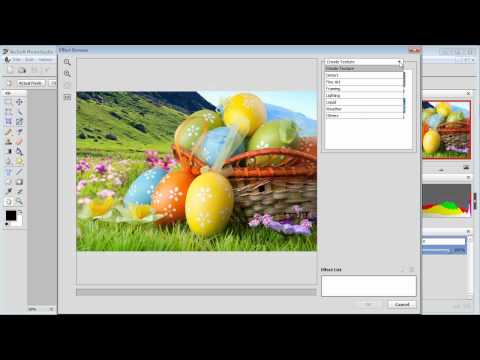
Comment appliquer plusieurs effets à mon image avec ArcSoft PhotoStudio?
ChaîneArcSoftÀ propos de ce tutoriel
ArcSoft a publié ce tutoriel vidéo de 1:33 le 10 novembre 2012. Il a été vu 7 248 fois sur YouTube.
- Chaîne
- ArcSoft
- Catégorie
- Astuces & style
- Durée
- 1:33
- Publié le
- 10 novembre 2012
- Vues
- 7 248
- J’aime
- 5
Partager
Ce tutoriel dans d’autres langues
- ENHow to apply multiple effects to my picture with ArcSoft PhotoStudio?
- ESCómo aplicar múltiples efectos especiales a mi imagen con ArcSoft PhotoStudio?
- PTComo aplicar vários efeitos para uma foto minha com ArcSoft PhotoStudio?
- ITCome applicare effetti speciali al mio foto con ArcSoft PhotoStudio?
- DEWie mehr Effekte auf mein Bild mit ArcSoft Photostudio bewerben?
- NLHoe u meerdere effecten op mijn foto met ArcSoft PhotoStudio toe te passen?
- RUКак применить различные эффекты к моей картине с ArcSoft PhotoStudio?
- PLJak zastosować wiele efektów do mojego obrazu z ArcSoft PhotoStudio?
- JAArcSoftのPhotoStudioはと私の画像に複数のエフェクトを適用するには?
- ARكيفية تطبيق تأثيرات متعددة لصورة بلدي مع برنامج ArcSoft PhotoStudio؟
- HIकैसे ArcSoft PhotoStudio साथ मेरी तस्वीर के लिए एकाधिक प्रभाव लागू करने के लिए?
- IDBagaimana menerapkan beberapa efek ke gambar saya dengan ArcSoft PhotoStudio?