Playback starts YouTube’s embedded player (privacy-enhanced mode).
How to apply multiple effects to my picture with ArcSoft PhotoStudio?
ChannelArcSoftDescription from the creator
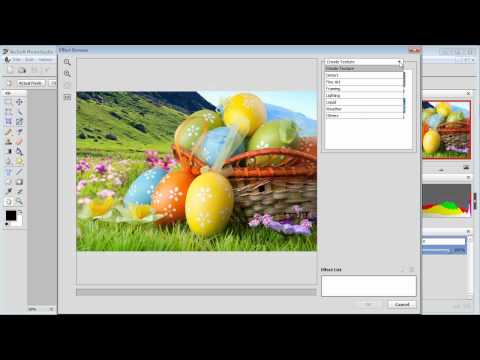
Welcome to this video tutorial on ArcSoft PhotoStudio. This video will show you how to retouch the picture with the available effects. A variety of effects can be chosen from the Effects menu. Click New Effect in the Effect Browser to add it to the Effect List.
About this tutorial
ArcSoft published this 1:33 video tutorial on November 10, 2012. It has been watched 7,248 times on YouTube.
- Channel
- ArcSoft
- Category
- Howto & Style
- Duration
- 1:33
- Published
- November 10, 2012
- Views
- 7,248
- Likes
- 5
Tags
Share
This tutorial in other languages
- FRComment appliquer plusieurs effets à mon image avec ArcSoft PhotoStudio?
- ESCómo aplicar múltiples efectos especiales a mi imagen con ArcSoft PhotoStudio?
- PTComo aplicar vários efeitos para uma foto minha com ArcSoft PhotoStudio?
- ITCome applicare effetti speciali al mio foto con ArcSoft PhotoStudio?
- DEWie mehr Effekte auf mein Bild mit ArcSoft Photostudio bewerben?
- NLHoe u meerdere effecten op mijn foto met ArcSoft PhotoStudio toe te passen?
- RUКак применить различные эффекты к моей картине с ArcSoft PhotoStudio?
- PLJak zastosować wiele efektów do mojego obrazu z ArcSoft PhotoStudio?
- JAArcSoftのPhotoStudioはと私の画像に複数のエフェクトを適用するには?
- ARكيفية تطبيق تأثيرات متعددة لصورة بلدي مع برنامج ArcSoft PhotoStudio؟
- HIकैसे ArcSoft PhotoStudio साथ मेरी तस्वीर के लिए एकाधिक प्रभाव लागू करने के लिए?
- IDBagaimana menerapkan beberapa efek ke gambar saya dengan ArcSoft PhotoStudio?