La lecture charge le lecteur YouTube intégré (mode confidentialité renforcée).
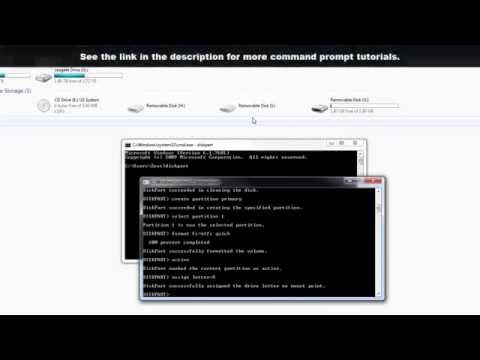
Comment formater une clé USB via l’invite de commandes sous Windows
ChaînesakitechDescription de l’auteur
Dans cette vidéo, je vais vous guider étape par étape pour formater une clé USB directement depuis l’invite de commandes sous Windows.
----------------- MON MATÉRIEL -----------------
Voici le matériel que j’utilise pour réaliser mes vidéos :
----------------- MON MATÉRIEL -----------------
Voici le matériel que j’utilise pour réaliser mes vidéos :
À propos de ce tutoriel
sakitech a publié ce tutoriel vidéo de 5:32 le 1 novembre 2015. Il a été vu 572 344 fois sur YouTube.
- Chaîne
- sakitech
- Catégorie
- Science & technologie
- Durée
- 5:32
- Publié le
- 1 novembre 2015
- Vues
- 572 344
- J’aime
- 4 019
Partager
Ce tutoriel dans d’autres langues
- ENHow to Format a USB Flash Drive using Command Prompt in Windows
- ESCómo dar formato a una unidad flash USB mediante el símbolo del sistema en Windows
- PTComo formatar um Flash Drive USB usando Command Prompt no Windows
- ITCome formattare un'unità flash USB utilizzando il prompt dei comandi in Windows
- DEWie ein USB-Flash-Laufwerk mit Eingabeaufforderung in Windows zu formatieren
- NLHoe maak je een USB-stick formaat met behulp van Command Prompt in Windows
- RUКак отформатировать USB Flash Drive с помощью командной строки в Windows,
- PLJak sformatować pamięć USB za pomocą wiersza polecenia w systemie Windows
- JAWindowsのコマンドプロンプトを使用してUSBフラッシュドライブをフォーマットする方法
- ARكيفية تهيئة USB فلاش حملة باستخدام موجه الأوامر في ويندوز
- HIएक USB फ्लैश ड्राइव प्रारूप बनाने के तरीके कमान Windows में तत्काल का उपयोग कर
- IDCara Format USB Flash Drive menggunakan Command Prompt pada Windows