Afspelen laadt de ingesloten YouTube-speler (privacyvriendelijke modus).
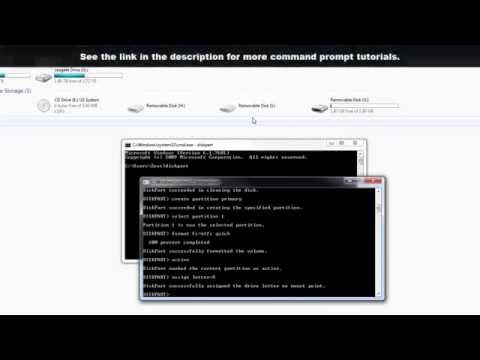
Hoe je een USB-stick formateert met Command Prompt in Windows
KanaalsakitechBeschrijving van de maker
In deze video laat ik je stap voor stap zien hoe je een USB-stick kunt formatteren met Command Prompt op een Windows-pc.
----------------- Mijn SETUP -----------------
De apparatuur die ik gebruik om mijn video’s te maken:
----------------- Mijn SETUP -----------------
De apparatuur die ik gebruik om mijn video’s te maken:
Over deze tutorial
sakitech publiceerde deze videotutorial van 5:32 op 1 november 2015. Hij is 572.344 keer bekeken op YouTube.
- Kanaal
- sakitech
- Categorie
- Wetenschap & technologie
- Duur
- 5:32
- Gepubliceerd
- 1 november 2015
- Weergaven
- 572.344
- Likes
- 4.019
Delen
Deze tutorial in andere talen
- ENHow to Format a USB Flash Drive using Command Prompt in Windows
- FRComment formater un disque USB Flash à l'aide invite de commande dans Windows
- ESCómo dar formato a una unidad flash USB mediante el símbolo del sistema en Windows
- PTComo formatar um Flash Drive USB usando Command Prompt no Windows
- ITCome formattare un'unità flash USB utilizzando il prompt dei comandi in Windows
- DEWie ein USB-Flash-Laufwerk mit Eingabeaufforderung in Windows zu formatieren
- RUКак отформатировать USB Flash Drive с помощью командной строки в Windows,
- PLJak sformatować pamięć USB za pomocą wiersza polecenia w systemie Windows
- JAWindowsのコマンドプロンプトを使用してUSBフラッシュドライブをフォーマットする方法
- ARكيفية تهيئة USB فلاش حملة باستخدام موجه الأوامر في ويندوز
- HIएक USB फ्लैश ड्राइव प्रारूप बनाने के तरीके कमान Windows में तत्काल का उपयोग कर
- IDCara Format USB Flash Drive menggunakan Command Prompt pada Windows