La lecture charge le lecteur YouTube intégré (mode confidentialité renforcée).
Tutoriel Notifications – Partie 1 : LES CANAUX DE NOTIFICATIONS – Android Studio
ChaîneCoding in FlowDescription de l’auteur
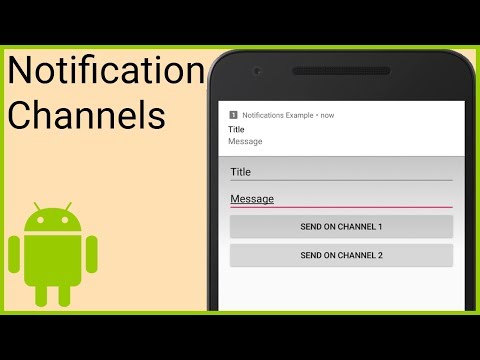
Dans la première partie, nous allons commencer par créer des canaux de notifications (catégories), qui sont indispensables depuis Android Oreo (niveau d'API 26) pour afficher des notifications. Ces canaux doivent être créés dès le démarrage de l'application, donc nous allons le faire dans la méthode onCreate d'une classe qui hérite de Application.
Lors de leur création, il faut leur attribuer un identifiant, un nom et un niveau d'importance. En plus, on peut les personnaliser davantage : activer la LED, la vibration ou modifier le son, mais c'est finalement l'utilisateur qui contrôle leur comportement.
Une fois nos objets NotificationChannel créés, nous les transmettons à la méthode createNotificationChannel du NotificationManager.
Quand nous voulons afficher une notification, nous la créons avec NotificationCompat.Builder, où nous pouvons définir un titre, un message, une icône, un niveau de priorité, une catégorie et bien d'autres options de personnalisation. Ensuite, nous passons cet objet Notification à la méthode notify de NotificationManagerCompat, où nous devons aussi fournir un identifiant que nous pourrons utiliser plus tard pour mettre à jour ou supprimer cette notification.
Documentation :
NotificationManager :
NotificationChannel :
NotificationCompat :
NotificationCompat.Builder :
Regardez toute la playlist :
Exemple de code pour cette partie :
💻 Trouvez les MEILLEURS tutoriels de programmation sur TutHub :
⭐ Obtenez mon cours sur le cache MVVM maintenant :
❓ Rejoignez notre communauté gratuite de développeurs :
📣 Suivez Coding in Flow sur d'autres plateformes :
À propos de ce tutoriel
Coding in Flow a publié ce tutoriel vidéo de 20:04 le 25 octobre 2018. Il a été vu 258 552 fois sur YouTube.
- Chaîne
- Coding in Flow
- Catégorie
- Science & technologie
- Durée
- 20:04
- Publié le
- 25 octobre 2018
- Vues
- 258 552
- J’aime
- 3 157
Partager
Pour aller plus loin
-
Part 1 - Notification Channels - Coding in Flow
codinginflow.com
In part 1 we will start by creating notification channels (Categories) which are necessary since Android Oreo (API level 26) to be able to show any notifications. These channels should be created as soon as we start our…
-
Android Notifications Tutorial: Getting Started | raywenderlich.com
raywenderlich.com
Home Android & Kotlin Tutorials Android Notifications Tutorial: Getting Started. In this Android Notifications tutorial, you will learn how to create an App that allows you to set reminders at different schedules.
-
Android - Notifications - Tutorialspoint
tutorialspoint.com
1: You will use Android studio IDE to create an Android application and name it as tutorialspoint under a package com.example.notificationdemo. 2: Modify src/MainActivity.java file and add the code to notify(""), if use…
Ce tutoriel dans d’autres langues
- ENNotifications Tutorial Part 1 - NOTIFICATION CHANNELS - Android Studio Tutorial
- ESNotificaciones Tutorial Parte 1 - canales de notificación de Android - Estudio Tutorial
- PTNotificações Tutorial Parte 1 - canais de notificação - Android Estúdio Tutorial
- ITNotifiche Tutorial Parte 1 - NOTIFICA CANALI - Android Studio Tutorial
- DEBenachrichtigungen Tutorial Teil 1 - MELDUNG SENDER - Android Studio Tutorial
- NLMeldingen Tutorial Deel 1 - AANMELDING KANALEN - Android Studio Tutorial
- RUУведомления Учебник Часть 1 - УВЕДОМЛЕНИЕ КАНАЛЫ - Android-студия Tutorial
- PLPowiadomienia Tutorial Part 1 - Zawiadomienie KANAŁY - Android Studio Tutorial
- JA通知のチュートリアルパート1 - 通知チャネル - アンドロイドStudioチュートリアル
- ARإخطارات دروس الجزء 1 - القنوات الإخطار - الروبوت التعليمي ستوديو
- HIसूचनाएं ट्यूटोरियल भाग 1 - अधिसूचना चैनल - एंड्रॉयड स्टूडियो ट्यूटोरियल
- IDPemberitahuan Tutorial Part 1 - PEMBERITAHUAN SALURAN - Android Studio Tutorial