Playback starts YouTube’s embedded player (privacy-enhanced mode).
Notifications Tutorial Part 1 - NOTIFICATION CHANNELS - Android Studio Tutorial
ChannelCoding in FlowDescription from the creator
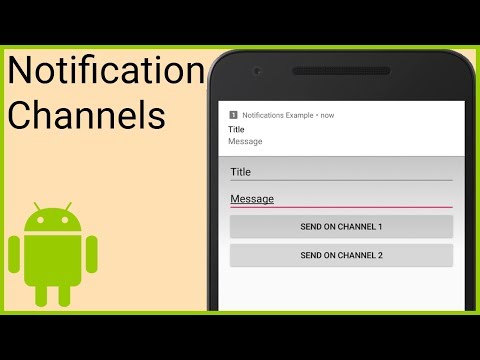
In part 1 we will start by creating notification channels (Categories) which are necessary since Android Oreo (API level 26) to be able to show any notifications. These channels should be created as soon as we start our app, so we will do it in the onCreate method of a class that extends Application.
When we create these channels, we have to pass an ID, a name and an importance level. Additionally we can customize the channel further, like enabling the LED, activating vibration or changing the sound, but the user has ultimate control over the channel's behavior.
When our NotificationChannel objects are created, we pass them to the NotificationManager's createNotificationChannel method.
When we then want to show a notification, we create it with the NotificationCompat.Builder, where we can set a title, a message, an icon, a priority level, a category and many more customization options, and then we pass this
Notification object to the NotificationManagerCompat's notify method, where we also have to pass an ID which we can later use to update or cancel this particular notification.
Documentation:
NotificationManager:
developer.android.com/reference/android/app/Not…
NotificationChannel:
developer.android.com/reference/android/app/Not…
NotificationCompat:
developer.android.com/reference/android/support…
NotificationCompat.Builder:
developer.android.com/reference/android/support…
Watch the whole playlist:
youtube.com/playlist?list=PLrnPJCHvNZuCN52QwGu7…
Example code for this part:
gist.github.com/codinginflow/33e2ef8270892acca1…
____________________
💻 Find the BEST programming tutorials on TutHub:
tuthub.io
⭐ Get my MVVM Caching Course now:
codinginflow.com/caching
❗ Subscribe to the channel:
youtube.com/c/codinginflo...
📨 Subscribe to the Coding in Flow newsletter:
codinginflow.com/newsletter
❓ Join our free developer community:
discord.gg/TSnMvmc
📣 Follow Coding in Flow on other sites:
Facebook: facebook.com/codinginflow
Instagram: instagram.com/codinginflow
TikTok: tiktok.com/@codinginflow
Twitter: twitter.com/codinginflow
Github: github.com/codinginflow
💰 Business requests, sponsoring, etc.: [email protected]
About this tutorial
Coding in Flow published this 20:04 video tutorial on October 25, 2018. It has been watched 258,552 times on YouTube.
- Channel
- Coding in Flow
- Category
- Science & Technology
- Duration
- 20:04
- Published
- October 25, 2018
- Views
- 258,552
- Likes
- 3,157
Tags
Share
Further reading
-
Android O: How to Use Notification Channels
code.tutsplus.com
In this tutorial, you learned about Notification Channels for Android O: what they are and how to create one, as well as how to post a notification to a channel, how to access a channel's notification settings, how to g…
-
Part 1 - Notification Channels - Tutorials - Coding in Flow
codinginflow.com
In part 1 we will start by creating notification channels (Categories) which are necessary since Android Oreo (API level 26) to be able to show any notifications. These channels should be created as soon as we start our…
-
Android Notifications Tutorial: Getting Started ...
raywenderlich.com
In this tutorial, you have learned how to create notifications, notification channels, notification groups, and customize their display and behavior. You have learned how to add actions to notifications and work with th…
This tutorial in other languages
- FRNotifications Tutoriel Partie 1 - CHAÎNES DE NOTIFICATION - Android studio Tutoriel
- ESNotificaciones Tutorial Parte 1 - canales de notificación de Android - Estudio Tutorial
- PTNotificações Tutorial Parte 1 - canais de notificação - Android Estúdio Tutorial
- ITNotifiche Tutorial Parte 1 - NOTIFICA CANALI - Android Studio Tutorial
- DEBenachrichtigungen Tutorial Teil 1 - MELDUNG SENDER - Android Studio Tutorial
- NLMeldingen Tutorial Deel 1 - AANMELDING KANALEN - Android Studio Tutorial
- RUУведомления Учебник Часть 1 - УВЕДОМЛЕНИЕ КАНАЛЫ - Android-студия Tutorial
- PLPowiadomienia Tutorial Part 1 - Zawiadomienie KANAŁY - Android Studio Tutorial
- JA通知のチュートリアルパート1 - 通知チャネル - アンドロイドStudioチュートリアル
- ARإخطارات دروس الجزء 1 - القنوات الإخطار - الروبوت التعليمي ستوديو
- HIसूचनाएं ट्यूटोरियल भाग 1 - अधिसूचना चैनल - एंड्रॉयड स्टूडियो ट्यूटोरियल
- IDPemberitahuan Tutorial Part 1 - PEMBERITAHUAN SALURAN - Android Studio Tutorial