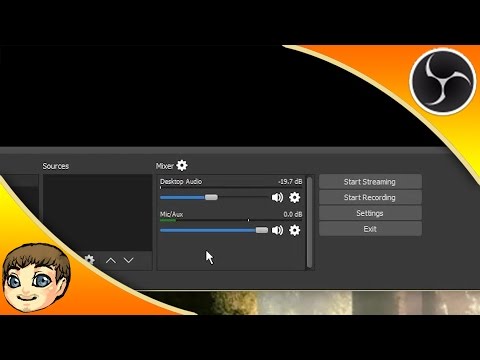
Pemutaran memuat pemutar YouTube tersemat (mode privasi yang ditingkatkan).
Tutorial OBS Studio: Pengaturan Audio Multi-Device (Mikrofon & Suara Game) | OBS Multiplatform
SaluranEposVoxDeskripsi dari pembuat
Pada video ini, saya akan menjelaskan pengaturan perangkat audio di dalam OBS Multiplatform, serta cara mengatur dan menyeimbangkan beberapa perangkat audio berbeda di OBS untuk membuat streaming langsung yang lebih dinamis dan berkualitas tinggi.
Tautan dan Sumber Daya Penting
Streaming langsung kami:
(Kali jumlah MB dari SpeedTest dengan 1000 untuk OBS Estimator)
Apa itu OBS?
OBS adalah perangkat lunak gratis dan open-source untuk merekam video dan streaming langsung. Fitur yang didukung meliputi:
Pengkodean menggunakan H264 (x264) dan AAC.
Dukungan untuk Intel Quick Sync Video (QSV) dan NVENC.
Jumlah tak terbatas scene dan sumber.
Streaming langsung RTMP ke Twitch, YouTube, DailyMotion, Hitbox, dan lainnya.
Output file ke MP4 atau FLV.
Capture game berbasis GPU untuk streaming game berkinerja tinggi.
Dukungan perangkat capture DirectShow (webcam, kartu capture, dll).
Dukungan capture monitor Windows 8 dengan kecepatan tinggi.
Resampling bilinear atau lanczos3.
Apa itu OBS Multiplatform atau OBS Studio?
OBS Multiplatform adalah rewrite lengkap dari OBS asli dari awal, dengan tujuan utama mendukung multiplatform, fitur yang lebih lengkap, dan API yang jauh lebih kuat. Saat ini, versi awal dan sederhana sudah tersedia untuk Mac.
OBS Multiplatform akan...
Tentang tutorial ini
EposVox memublikasikan tutorial video berdurasi 7:56 ini pada 26 Oktober 2015. Video ini telah ditonton 1.041.270 kali di YouTube.
- Saluran
- EposVox
- Kategori
- Sains & Teknologi
- Durasi
- 7:56
- Dipublikasikan
- 26 Oktober 2015
- Penayangan
- 1.041.270
- Suka
- 10.718
Bagikan
Bacaan lanjutan
-
OBS-Studio: How to configure your Microphone - Noise ...
obsproject.com
Now we can start OBS-Studio and if you have not done so yet, go into the configuration and set up your Microphone there. Settings -> Audio You can configure two playback and three recording devices (and later on configu…
-
Wiki - Filters Guide | OBS
obsproject.com
In OBS Studio we have the ability to add filters to our Sources, Scenes and even our Audio Devices. The following filters are available in OBS Studio 23.0.0: Scene and Source…
-
How to set up your audio interface in OBS (Open Broadcaster ...
support.focusrite.com
Use the Desktop Audio setting in OBS. Similar to the above, navigate to Audio Mixer > Desktop Audio > Click the Settings button (small gear cog symbol) > Properties. Select your audio interface as the Device. Any audio…
Tutorial ini dalam bahasa lain
- ENOBS Studio Tutorial: Multiple Audio Devices (Microphones & Game Sound) | OBS Multiplatform
- FROBS studio Tutoriel: plusieurs périphériques audio (Microphones et son jeu) | OBS multiplateformes
- ESOBS Studio Tutorial: múltiples dispositivos de audio (micrófonos y Sonido de juego) | OBS multiplataforma
- PTOBS Estúdio Tutorial: vários dispositivos de áudio (microfones & Game Sound) | OBS Multiplataforma
- ITOBS Studio Tutorial: più dispositivi audio (Microfoni & Game Sound) | OBS multipiattaforma
- DEOBS Studio Tutorial: Mehrere Audiogeräte (Mikrofone & Game Sound) | OBS Multi-Plattform
- NLOBS Studio Tutorial: meerdere geluidsapparaten (Microfoons & Game Sound) | OBS Multiplatform
- RUOBS студия Учебник: Multiple аудиоустройства (микрофоны и Game Sound) | OBS Multiplatform
- PLOBS Studio Tutorial: wiele urządzeń audio (mikrofony & Gra dźwięku) | OBS Multiplatform
- JAOBS Studioチュートリアル:複数のオーディオデバイス(マイク&ゲームサウンド)| OBSマルチ
- AROBS ستوديو البرنامج التعليمي: متعددة أجهزة الصوت (الميكروفونات ولعبة الصوت) | OBS المتعدد
- HIOBS स्टूडियो ट्यूटोरियल: एकाधिक ऑडियो उपकरण (माइक्रोफोन और खेल ध्वनि) | OBS Multiplatform