Playback starts YouTube’s embedded player (privacy-enhanced mode).
OBS Studio Tutorial: Multiple Audio Devices (Microphones & Game Sound) | OBS Multiplatform
ChannelEposVoxDescription from the creator
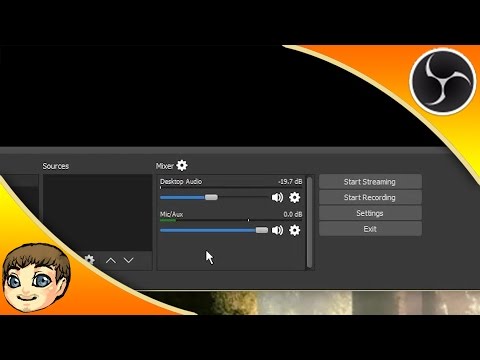
In this video, I go over the audio devices configuration within OBS Multiplatform, as well as how to set up and balance multiple different audio devices within OBS to create a more dynamic and high-quality live stream.
IMPORTANT LINKS & RESOURCES
►► NOTE!!! This is a VERY OLD video for a now DEFUNCT version of OBS. For a full video course on OBS Studio from 2019, check out this playlist! youtube.com/playlist?list=PLzo7l8HTJNK-IKzM_zDi…
Subscribe to never miss an episode: youtube.com/eposvox?sub_confirmation=1
OBS Multiplatform Tutorial Playlist: youtube.com/playlist?list=PLzo7l8HTJNK-PP70gT9l…
OBS Tutorial Playlist: youtube.com/playlist?list=PLzo7l8HTJNK_Vgqu1QQ6…
Fix Audio Loop/Echo: youtube.com/watch?v=JU4ohZrk9SI&index=7&…
Our live streams:
Gaming YouTube: gaming.youtube.com/channel/UCRBHiacaQb5S70pljtJ…
Twitch: twitch.tv/eposvox/
Hitbox: hitbox.tv/EposVox
Blizzrdball GFX: blizzrdball.deviantart.com/
Contact him via Twitter: twitter.com/blizzrdball
Download OBS Multiplatform/Studio: obsproject.com/
OBS Browser Plugin: obsproject.com/forum/resources/browser-plugin.1…
SpeedTest: speedtest.net/
OBS Bitrate Estimator: obsproject.com/estimator
(Multiply your MB number from SpeedTest by 1000 for OBS Estimator)
YouTube Recommended Bitrates: support.google.com/youtube/answer/1722171?hl=en
Nightbot: nightbot.tv/
TwitchAlerts: twitchalerts.com/
7-Zip for .zip files: 7-zip.org/
YouTube Live Dashboard: youtube.com/live_dashboard
Twitch Dashboard: twitch.tv/broadcast/dashboard
YouTube Gaming: gaming.youtube.com/
Hitbox: hitbox.tv/
Twitch.tv: twitch.tv/
LiveSportsCaster: livesportscaster.com/
Discord DDOS Protection: discordapp.com/
Skype: skype.com/en/
TeamSpeak: teamspeak.com/
Ventrilo: ventrilo.com/
Razer Comms: razerzone.com/comms
What is OBS?
Open Broadcaster Software is free and open source software for video recording and live streaming. Supported features include:
Encoding using H264 (x264) and AAC.
Support for Intel Quick Sync Video (QSV) and NVENC.
Unlimited number of scenes and sources.
Live RTMP streaming to Twitch, YouTube, DailyMotion, Hitbox and more.
File output to MP4 or FLV.
GPU-based game capture for high performance game streaming.
DirectShow capture device support (webcams, capture cards, etc).
Windows 8 high speed monitor capture support.
Bilinear or lanczos3 resampling.
What is OBS Multiplatform or OBS Studio?
OBS MultiPlatform is a complete rewrite of the original OBS from the ground up, with the main goals of course being multiplatform support, a more thorough feature set, and a much more powerful API. A very early and simple release is currently available for Mac.
OBS MultiPlatform will eventually support many of the advanced requested features not present in the original OBS, such as multiple stream outputs and scene previewing. It does not have these features in this release.
How much does it cost?
OBS is completely free! Not a dime! There are no subscriptions or licenses, no payments at all. OBS is available to everyone, with source code publicly available on github for anyone to help contribute.
While OBS will always remain free, you are welcome to donate to support our development efforts.
Edited w/ Premiere Pro CC: goo.gl/rJwkQj
Thanks for watching!
-------------------------
► Support w/ Fan Funding: eposvox.com/support
► Visit goo.gl/Pj1BkJ for more reviews & tutorials.
► Gear list: goo.gl/Kuk86K
-----
►► Follow Us! ◄◄
✔ Twitter: goo.gl/UHDmHV
✔ Facebook: goo.gl/aVGqKh
✔ Instagram: goo.gl/ppMlh9
✔ Google Plus: goo.gl/DklBf3
✔ Website: goo.gl/GK38OW
✔ Vlog Channel: goo.gl/cQfmP6
✔ Co-Op Gaming Channel: goo.gl/AX5n0E
✔ Gaming Channel: goo.gl/5NkxkH
✔ Pokemon TCG Channel: goo.gl/IbdcOC
✔ Live Stream: goo.gl/rDirXJ
Free #Tech_Education here! Or, #Techucation - #EposVox delivers it!
About this tutorial
EposVox published this 7:56 video tutorial on October 26, 2015. It has been watched 1,041,270 times on YouTube.
- Channel
- EposVox
- Category
- Science & Technology
- Duration
- 7:56
- Published
- October 26, 2015
- Views
- 1,041,270
- Likes
- 10,718
Tags
Share
Further reading
-
OBS-Studio: High quality recording and multiple Audio Tracks
obsproject.com
In OBS-Studio you can very easily configure everything for "High Quality" recordings as well as multiple Audio Tracks. We simply need to go into the "Output" settings of OBS. Simple High Quality Settings If you do not p…
-
OBS Studio Tutorial: Multiple Audio Devices (Microphones ...
ruclip.com
Welcome to my in-depth course and tutorial series for OBS Multiplatform and OBS Studio. In this series and playlist, you will find OBS Multiplatform tutorials, guides and walkthroughs for OBS, along with some handy tips…
-
OBS Tutorial 2020 ⇒ The ultimative guide!
own3d.tv
Audio. Here you can select your audio devices for the your stream, allowing you to perfectly match multiple output devices or microphones to each other. Separate push-to-talk or push-to-mute buttons can be defined for e…
This tutorial in other languages
- FROBS studio Tutoriel: plusieurs périphériques audio (Microphones et son jeu) | OBS multiplateformes
- ESOBS Studio Tutorial: múltiples dispositivos de audio (micrófonos y Sonido de juego) | OBS multiplataforma
- PTOBS Estúdio Tutorial: vários dispositivos de áudio (microfones & Game Sound) | OBS Multiplataforma
- ITOBS Studio Tutorial: più dispositivi audio (Microfoni & Game Sound) | OBS multipiattaforma
- DEOBS Studio Tutorial: Mehrere Audiogeräte (Mikrofone & Game Sound) | OBS Multi-Plattform
- NLOBS Studio Tutorial: meerdere geluidsapparaten (Microfoons & Game Sound) | OBS Multiplatform
- RUOBS студия Учебник: Multiple аудиоустройства (микрофоны и Game Sound) | OBS Multiplatform
- PLOBS Studio Tutorial: wiele urządzeń audio (mikrofony & Gra dźwięku) | OBS Multiplatform
- JAOBS Studioチュートリアル:複数のオーディオデバイス(マイク&ゲームサウンド)| OBSマルチ
- AROBS ستوديو البرنامج التعليمي: متعددة أجهزة الصوت (الميكروفونات ولعبة الصوت) | OBS المتعدد
- HIOBS स्टूडियो ट्यूटोरियल: एकाधिक ऑडियो उपकरण (माइक्रोफोन और खेल ध्वनि) | OBS Multiplatform
- IDOBS Studio Tutorial: Beberapa Audio Devices (Mikrofon & Permainan Sound) | OBS multiplatform