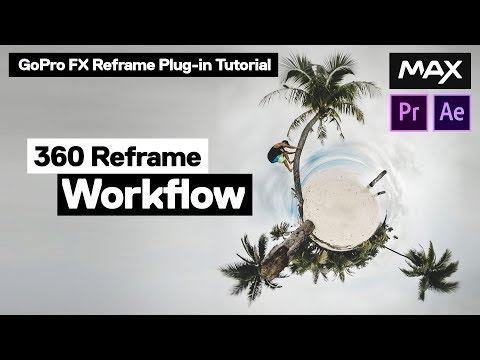
La riproduzione carica il player incorporato di YouTube (modalità privacy avanzata).
Riquadra un video 360° - Tutorial GoPro FX Reframe
CanaleAbe KislevitzDescrizione dell’autore
1:00 - Parte 1: Preparare i file 360°
2:36 - Parte 2: Impostare la sequenza
6:14 - Parte 3: Controlli a schermo
8:38 - Parte 4: Controlli avanzati
12:38 - Parte 5: Keyframe (animazione chiave)
16:10 - Parte 6: Keyframe fluidi
19:40 - Parte 7: Nidificazione per accelerazioni e variazioni di fotogrammi
21:15 - Parte 8: Regolazione della dimensione del frame di output
Link citati nel video:
David Newman – Il genio dietro questo plugin:
"È il plugin che uso per editare tutti i miei video 360°, così come quelli dei canali ufficiali GoPro. Ti darà il risultato più pulito e professionale per i tuoi video ritagliati a 360°!"
Troviamo su:
Musica: *Higher* – Chad Lawson
Grazie a:
Benjamin Ortega & Douchebags per aver organizzato le riprese in Francia! Dai un’occhiata al video nel vlog di Jon Olsson!
Informazioni su questo tutorial
Abe Kislevitz ha pubblicato questo video tutorial di 23:43 il 25 novembre 2019. È stato visto 306.906 volte su YouTube.
- Canale
- Abe Kislevitz
- Categoria
- Sport
- Durata
- 23:43
- Pubblicato
- 25 novembre 2019
- Visualizzazioni
- 306.906
- Mi piace
- 4.288
Condividi
Approfondimenti
-
GoPro FX Reframe plugin tutorial for Premiere ... - 360 Rumors
360rumors.com
GoPro has a new plugin to convert 360 video into reframed non-360 video on Adobe Premiere and After Effects. It’s called GoPro FX Reframe, and supersedes the ubiquitous but limited GoPro VR Reframe. FX Reframe has many…
-
GoPro FX Reframe - GoPro Support Hub
community.gopro.com
Download FX Reframe for Mac v1.2.1.133 Download FX Reframe for Windows v1.2.1.122. Get full creative control of your GoPro footage. Use the GoPro FX Reframe plugin to edit your HERO, MAX and Fusion footage in Adobe Prem…
-
ReFrame Plugin Tutorial - 360 Cameras
insta360.com
2. Find GoPro FX ReFrame under “Effects” and drag it to the timeline’s footage. Now, you should be able to see that the footage’s perspective has been changed in the player. 3. Under “Effect Controls”, you can adjust re…
Questo tutorial in altre lingue
- ENReframe 360 Video - GoPro FX Reframe Tutorial
- FRRecadrer 360 Vidéo - GoPro FX Reframe Tutorial
- ESReframe 360 Video - GoPro FX Reframe Tutorial
- PTReframe 360 Video - GoPro FX resignificação Tutorial
- DEReframe 360 Video - GoPro FX Reframe Tutorial
- NLReframe 360 Video - GoPro FX Reframe Tutorial
- RUReframe 360 Видео - GoPro FX Reframe Учебное пособие
- PLPrzeformułować Wideo 360 - GoPro FX przeformułować Tutorial
- JAリフレーム360ビデオ - のGoPro FXリフレームのチュートリアル
- ARاعادة طرح 360 فيديو - من GoPro FX إعادة صياغة البرنامج التعليمي
- HIReframe 360 वीडियो - GoPro FX reframe ट्यूटोरियल
- IDReframe 360 Video - GoPro FX reframe Tutorial