A reprodução carrega o leitor integrado do YouTube (modo de privacidade melhorada).
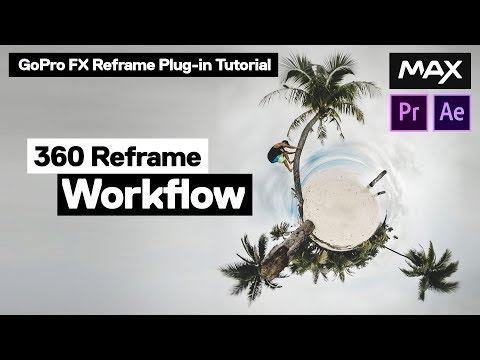
Recortar Vídeo 360° – Tutorial GoPro FX Reframe
CanalAbe KislevitzDescrição do autor
1:00 – Parte 1: Preparar os teus ficheiros 360°
2:36 – Parte 2: Configurar a tua sequência
6:14 – Parte 3: Controlo em ecrã
8:38 – Parte 4: Controlo avançado
12:38 – Parte 5: Keyframing (animação por quadros-chave)
16:10 – Parte 6: Keyframing suave
19:40 – Parte 7: Embutir para rampas de velocidade e variação de taxa de quadros
21:15 – Parte 8: Ajustar o tamanho do quadro final
Links mencionados no vídeo:
David Newman – O cérebro por trás deste plugin:
Este é o plugin que uso para editar *todo* o meu conteúdo 360°, assim como o das plataformas oficiais da GoPro. Vai-te dar o vídeo recortado em 360° de melhor qualidade!
Onde me encontrar:
Música: *Higher* – Chad Lawson
Long Pole:
Obrigado ao Benjamin Ortega & Douchebags por organizarem o rodagem em França! Dá uma olhada no plano no vlog do Jon Olsson!
Sobre este tutorial
Abe Kislevitz publicou este tutorial em vídeo de 23:43 em 25 de novembro de 2019. Foi visto 306 906 vezes no YouTube.
- Canal
- Abe Kislevitz
- Categoria
- Desporto
- Duração
- 23:43
- Publicado
- 25 de novembro de 2019
- Visualizações
- 306 906
- Gostos
- 4 288
Partilhar
Leitura complementar
-
GoPro FX Reframe plugin tutorial for Premiere ... - 360 Rumors
360rumors.com
GoPro has a new plugin to convert 360 video into reframed non-360 video on Adobe Premiere and After Effects. It’s called GoPro FX Reframe, and supersedes the ubiquitous but limited GoPro VR Reframe. FX Reframe has many…
-
GoPro FX Reframe - GoPro Support Hub
community.gopro.com
Download FX Reframe for Mac v1.2.1.133 Download FX Reframe for Windows v1.2.1.122. Get full creative control of your GoPro footage. Use the GoPro FX Reframe plugin to edit your HERO, MAX and Fusion footage in Adobe Prem…
-
ReFrame Plugin Tutorial - 360 Cameras
insta360.com
2. Find GoPro FX ReFrame under “Effects” and drag it to the timeline’s footage. Now, you should be able to see that the footage’s perspective has been changed in the player. 3. Under “Effect Controls”, you can adjust re…
Este tutorial noutros idiomas
- ENReframe 360 Video - GoPro FX Reframe Tutorial
- FRRecadrer 360 Vidéo - GoPro FX Reframe Tutorial
- ESReframe 360 Video - GoPro FX Reframe Tutorial
- ITReframe 360 Video - GoPro FX reframe Tutorial
- DEReframe 360 Video - GoPro FX Reframe Tutorial
- NLReframe 360 Video - GoPro FX Reframe Tutorial
- RUReframe 360 Видео - GoPro FX Reframe Учебное пособие
- PLPrzeformułować Wideo 360 - GoPro FX przeformułować Tutorial
- JAリフレーム360ビデオ - のGoPro FXリフレームのチュートリアル
- ARاعادة طرح 360 فيديو - من GoPro FX إعادة صياغة البرنامج التعليمي
- HIReframe 360 वीडियो - GoPro FX reframe ट्यूटोरियल
- IDReframe 360 Video - GoPro FX reframe Tutorial