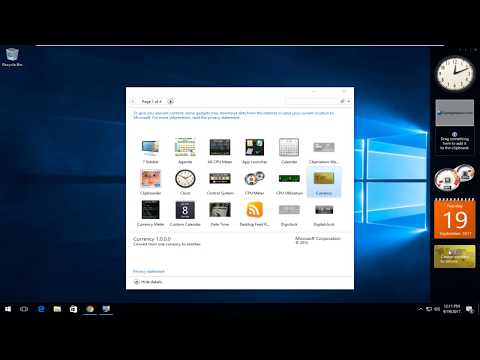
La riproduzione carica il player incorporato di YouTube (modalità privacy avanzata).
Come installare e attivare i gadget classici su Windows 10
CanaleMDTechVideosDescrizione dell’autore
Scopri come installare e attivare i classici gadget sul tuo PC con Windows 10.
Questa guida funziona su computer, laptop, desktop e tablet con Windows 10 (edizioni Home, Professional, Enterprise, Education) di qualsiasi produttore supportato, come Dell, HP, Acer, Asus, Toshiba, Lenovo e Samsung.
Questa guida funziona su computer, laptop, desktop e tablet con Windows 10 (edizioni Home, Professional, Enterprise, Education) di qualsiasi produttore supportato, come Dell, HP, Acer, Asus, Toshiba, Lenovo e Samsung.
Informazioni su questo tutorial
MDTechVideos ha pubblicato questo video tutorial di 5:04 il 31 ottobre 2018. È stato visto 250.189 volte su YouTube.
- Canale
- MDTechVideos
- Categoria
- Scienza e tecnologia
- Durata
- 5:04
- Pubblicato
- 31 ottobre 2018
- Visualizzazioni
- 250.189
- Mi piace
- 1.431
Condividi
Questo tutorial in altre lingue
- ENHow To Install/Enable Gadgets On Windows 10
- FRComment faire pour installer / Activer Gadgets Sous Windows 10
- ESCómo instalar / habilitar gadgets en Windows 10
- PTComo instalar / Ativar Gadgets No Windows 10
- DEWie Installieren / Aktivieren Gadgets unter Windows 10
- NLHoe te installeren / inschakelen Gadgets Op Windows 10
- RUКак установить / включить гаджеты на Windows 10
- PLJak zainstalować / Włącz Gadżety na Windows 10
- JAガジェットにWindows 10を有効/インストールする方法
- ARكيفية تثبيت / تمكين الأدوات في نظام التشغيل Windows 10
- HIस्थापित करने के लिए कैसे करें / सक्षम Windows 10 गैजेट्स पर
- IDCara Install / Aktifkan Gadget Pada Windows 10