Afspelen laadt de ingesloten YouTube-speler (privacyvriendelijke modus).
Zo installeer je een VST-plugin op Windows
KanaalOBEDIABeschrijving van de maker
Wil je een persoonlijke les? Bel ons op 1.855.553.7205!
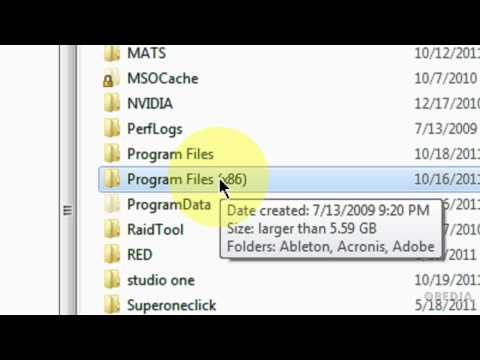
In deze video laten we je zien hoe je een VST-plugin installeert op je Windows 7-muziekcomputer door gewoon het .dll-bestand naar binnen te slepen.
Afhankelijk van je hostprogramma kan dit iets anders zijn, maar meestal vind je je VST-plugins in de map Program Files op je C:\-schijf.
Neem contact op met OBEDIA voor persoonlijke begeleiding bij digitale audio-software, hardware en applicaties!
In deze video laten we je zien hoe je een VST-plugin installeert op je Windows 7-muziekcomputer door gewoon het .dll-bestand naar binnen te slepen.
Afhankelijk van je hostprogramma kan dit iets anders zijn, maar meestal vind je je VST-plugins in de map Program Files op je C:\-schijf.
Neem contact op met OBEDIA voor persoonlijke begeleiding bij digitale audio-software, hardware en applicaties!
Over deze tutorial
OBEDIA publiceerde deze videotutorial van 5:22 op 4 november 2011. Hij is 713.289 keer bekeken op YouTube.
- Kanaal
- OBEDIA
- Categorie
- How-to & stijl
- Duur
- 5:22
- Gepubliceerd
- 4 november 2011
- Weergaven
- 713.289
- Likes
- 4.513
Delen
Deze tutorial in andere talen
- ENHow to install a VST plugin in Windows
- FRComment installer un plug-in VST dans Windows
- ESCómo instalar un plugin VST en Windows
- PTComo instalar um plugin VST no Windows
- ITCome installare un plug-in VST in Windows
- DEWie eine VST-Plugin in Windows installieren
- RUКак установить VST плагин в Windows,
- PLJak zainstalować wtyczki VST dla Windows
- JAWindowsのVSTプラグインをインストールする方法
- ARكيفية تثبيت البرنامج المساعد VST في نظام التشغيل Windows
- HIWindows में एक वीएसटी प्लगइन स्थापित करने के लिए
- IDBagaimana menginstal plugin VST pada Windows