Playback starts YouTube’s embedded player (privacy-enhanced mode).
How to install a VST plugin in Windows
ChannelOBEDIADescription from the creator
obedia.com/register - SIGNUP BONUS OFFER!
Call to work one on one! 1.855.553.7205
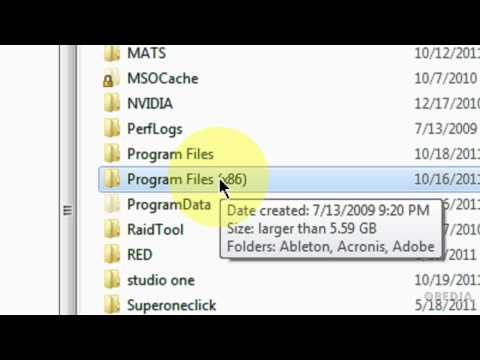
In this video, we'll show you how you can drag and drop a .dll file for a VST plugin to install it on your Windows Music Computer running Windows 7.
Depending on your host application, this could be setup differently, but most of the time, your VST plugins will be on your c:\ drive in the Program files directory.
Call OBEDIA to work one on one with us and get training in digital audio software, hardware, and applications.
Call to work one on one! 1.855.553.7205
In this video, we'll show you how you can drag and drop a .dll file for a VST plugin to install it on your Windows Music Computer running Windows 7.
Depending on your host application, this could be setup differently, but most of the time, your VST plugins will be on your c:\ drive in the Program files directory.
Call OBEDIA to work one on one with us and get training in digital audio software, hardware, and applications.
About this tutorial
OBEDIA published this 5:22 video tutorial on November 4, 2011. It has been watched 713,289 times on YouTube.
- Channel
- OBEDIA
- Category
- Howto & Style
- Duration
- 5:22
- Published
- November 4, 2011
- Views
- 713,289
- Likes
- 4,513
Share
This tutorial in other languages
- FRComment installer un plug-in VST dans Windows
- ESCómo instalar un plugin VST en Windows
- PTComo instalar um plugin VST no Windows
- ITCome installare un plug-in VST in Windows
- DEWie eine VST-Plugin in Windows installieren
- NLHoe maak je een VST plugin in Windows te installeren
- RUКак установить VST плагин в Windows,
- PLJak zainstalować wtyczki VST dla Windows
- JAWindowsのVSTプラグインをインストールする方法
- ARكيفية تثبيت البرنامج المساعد VST في نظام التشغيل Windows
- HIWindows में एक वीएसटी प्लगइन स्थापित करने के लिए
- IDBagaimana menginstal plugin VST pada Windows