Playback starts YouTube’s embedded player (privacy-enhanced mode).
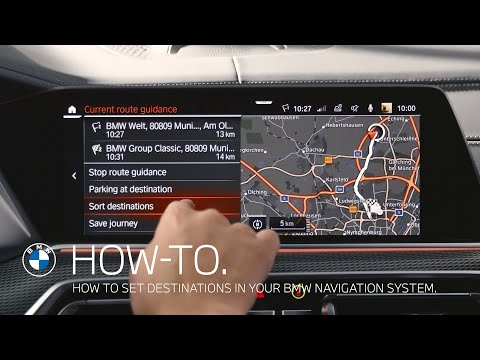
How to set destinations in your BMW navigation system – BMW How-To
ChannelBMWDescription from the creator
In this video, BMW How-To will show you how to get to your destination with the BMW navigation system. The easiest way to enter your destination is with the voice control system. To do this, press the button on the steering wheel and state your desired destination in one sentence. Alternatively you can use the “Search” function.
Favourite and often visited destinations can be saved as favourites in order to access them quickly and with ease. When planning a trip, it is possible to enter several stopovers. Depending on the country variant, up to 30 stopovers can be added.
Check out the other videos in the BMW How-To Series and be sure to leave us your feedback in the comments below.
The BMW Driver's Guide app specifically describes the equipment and functions included in the vehicle. The Owner's Handbook is available as an app in many countries. You will find further information on the Internet at: bmw.com/bmw_drivers_guide
Favourite and often visited destinations can be saved as favourites in order to access them quickly and with ease. When planning a trip, it is possible to enter several stopovers. Depending on the country variant, up to 30 stopovers can be added.
Check out the other videos in the BMW How-To Series and be sure to leave us your feedback in the comments below.
The BMW Driver's Guide app specifically describes the equipment and functions included in the vehicle. The Owner's Handbook is available as an app in many countries. You will find further information on the Internet at: bmw.com/bmw_drivers_guide
About this tutorial
BMW published this 2:34 video tutorial on September 26, 2020. It has been watched 274,068 times on YouTube.
- Channel
- BMW
- Category
- Autos & Vehicles
- Duration
- 2:34
- Published
- September 26, 2020
- Views
- 274,068
- Likes
- 736
Share
This tutorial in other languages
- FRComment définir des destinations dans votre système de navigation BMW - BMW How-To
- ESCómo configurar destinos en el sistema de navegación BMW - BMW How-To
- PTComo definir destinos em seu sistema de navegação BMW - BMW How-To
- ITCome impostare le destinazioni in sistema di navigazione BMW - BMW How-To
- DEWie Ziele in Ihrem BMW Navigationssystem einstellen - BMW How-To
- NLHoe naar bestemmingen in uw BMW navigatiesysteem set - BMW How-To
- RUКак установить пункты назначения в навигационной системе BMW - BMW How-To
- PLJak ustawić docelowe w systemie nawigacji BMW - BMW How-To
- JAどのようにあなたのBMWのナビゲーションシステムのセットの目的地へ - BMWハウツー
- ARكيفية تعيين وجهة في نظام الملاحة الخاص بك BMW - BMW كيف ل
- HIअपने बीएमडब्ल्यू नेविगेशन प्रणाली में गंतव्यों स्थापित करने के लिए कैसे - बीएमडब्ल्यू, कैसे करें-
- IDCara menetapkan tujuan di sistem navigasi BMW Anda - BMW How-To