Playback starts YouTube’s embedded player (privacy-enhanced mode).
How to Tune with an Apexi AFC NEO
ChannelDrive Tune MediaChapters
Description from the creator
0:00 Intro
0:09 Wideband lambda sensors to know your AFRs (Air Fuel Ratios)
0:28 Logworks datalogging - Left side is TPS voltage, high voltage = full throttle.
0:48 5294RPM 14.54 average AFR at full throttle. Too lean, we want the figure to be around 12-12.5
1:05 High throttle in Apexi AFC Neo at same RPM and increase figure. in this case, 5250 in Apexi air map is -49, we increase -49 to -40 and then redatalog to check the effect.
2:02 Air map on Apexi AFC NEO - Smaller the number = less fuel
2:40 Set maximum RPM of your engine
3:00 Set high and low throttle points
3:40 In this example, to make number richer, we increase the figure
3:55 Apexi will extrapolate between points
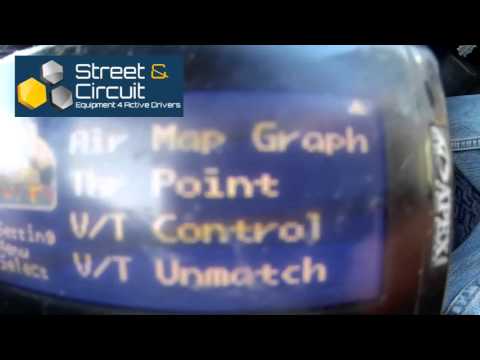
4:41 VT Unmatch (custom fuel alteration depending on if cams are activated or not and depending if the ECU thinks the cams are activated or not)
5:40 If your ECU does not have cam control, only interested in Green area
6:35 Setting throttle points
7:00 Cam activation points
7:20 Rugged
7:50 Colours - Background and keys
8:39 Brightness
8:48 Angle
8:52 Screensaver
9:05 New version, better screen
10:00 Don't press all buttons down and switch it on. It will reset the settings to factory.
-------
BUY Apexi AFC NEO - ebay.to/2GuUdzT
BUY Wideband Sensor - ebay.to/2GwWLh0
--------
You need a wideband oxygen sensor to tune with an Apexi AFC Neo
When you understand which cells in your AFR datalog need to adjusting. You go to the same cell in the AFC NEO and carry out the changes there.
Do another datalog, make more adjustments and so on until you are happy with your map.
Very simple, having a data logger makes life much easier.
0:09 Wideband lambda sensors to know your AFRs (Air Fuel Ratios)
0:28 Logworks datalogging - Left side is TPS voltage, high voltage = full throttle.
0:48 5294RPM 14.54 average AFR at full throttle. Too lean, we want the figure to be around 12-12.5
1:05 High throttle in Apexi AFC Neo at same RPM and increase figure. in this case, 5250 in Apexi air map is -49, we increase -49 to -40 and then redatalog to check the effect.
2:02 Air map on Apexi AFC NEO - Smaller the number = less fuel
2:40 Set maximum RPM of your engine
3:00 Set high and low throttle points
3:40 In this example, to make number richer, we increase the figure
3:55 Apexi will extrapolate between points
4:41 VT Unmatch (custom fuel alteration depending on if cams are activated or not and depending if the ECU thinks the cams are activated or not)
5:40 If your ECU does not have cam control, only interested in Green area
6:35 Setting throttle points
7:00 Cam activation points
7:20 Rugged
7:50 Colours - Background and keys
8:39 Brightness
8:48 Angle
8:52 Screensaver
9:05 New version, better screen
10:00 Don't press all buttons down and switch it on. It will reset the settings to factory.
-------
BUY Apexi AFC NEO - ebay.to/2GuUdzT
BUY Wideband Sensor - ebay.to/2GwWLh0
--------
You need a wideband oxygen sensor to tune with an Apexi AFC Neo
When you understand which cells in your AFR datalog need to adjusting. You go to the same cell in the AFC NEO and carry out the changes there.
Do another datalog, make more adjustments and so on until you are happy with your map.
Very simple, having a data logger makes life much easier.
About this tutorial
Drive Tune Media published this 10:45 video tutorial on October 29, 2016. It has been watched 30,872 times on YouTube.
- Channel
- Drive Tune Media
- Category
- Autos & Vehicles
- Duration
- 10:45
- Published
- October 29, 2016
- Views
- 30,872
- Likes
- 211
Tags
Share
This tutorial in other languages
- FRComment Tune avec un Apexi AFC NEO
- ESCómo afinar con un Apexi AFC NEO
- PTComo ajustar com uma Apexi AFC NEO
- ITCome Tune con un'Apexi AFC NEO
- DEWie zu hören mit einem Apexi AFC NEO
- NLHoe te Tune met een Apexi AFC NEO
- RUКак Tune с Apexi AFC NEO
- PLJak Tune z Apexi AFC NEO
- JAどのようにチューニングするApexi AFC NEOと
- ARكيفية اللحن مع AFC NEO APEXI
- HIकैसे ट्यून करने के लिए एक Apexi एएफसी NEO साथ
- IDCara Tune dengan Apexi AFC NEO