Playback starts YouTube’s embedded player (privacy-enhanced mode).
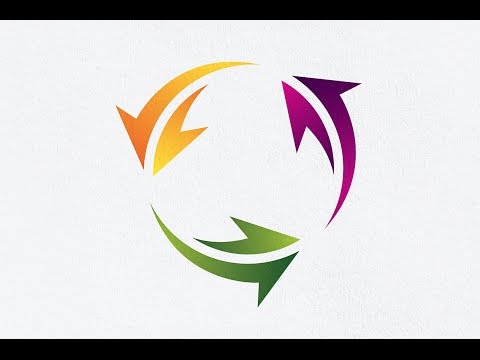
Adobe Illustrator CC | How to Make Circle Arrow Logo Design Tutorial | 2D Logo Gradient Effect
ChannelOnline Graphic Design Courses | Professional Logo Design | Adobe illusDescription from the creator
Adobe Illustrator CC | How to Make Circle Arrow Logo Design Tutorial | 2D Logo Gradient Effect | Create or Make Logo | Professional | Gradient Setting | Glossy Logo Design Tutorial | Glossy Gradient Color | Tutorial Make the best 3D Global Logo Design | Cutting | Editing | Coloring | Gradient | Glass | Glossy | Favicon | icon | website | Bird | Vintage | Badge | Retro | Modern
subscribe and like to get more video tutorial every day or weekly. I will now make a 3D logo with Circle Arrow concept, very easy, everything I created manually using the pen tool, cut, merge, or a combination, coloring or give color to the object, from solid colors to the gradient. many tips and tricks to make a good logo design and professional look. first we create 2D logo but with e few manual effect we can make it look like a 3D Logo Design use gradient and editing gradient color.
see more video tutorial here : youtube.com/channel/UCf8GwT2u1t0etGMSlZaSfUg/vi…
key : Adobe Illustrator CC | Circle Arrow Logo Design Tutorial | 2D Logo Gradient Effect | Create or Make Logo | Gradient Setting | Glossy Logo, Gradient Color Effect Tutorial, Global, Eart, Connection, Globe, How to make Glossy Text Effect with Adobe illustrator CC, Text Logo, Adobe illustrator tutorial, Badge, Vintage, Symbol, icon, Retro, Graphic Design, Graphic Designer, Graphic Designer Tips, Adobe Illustrator, Professional Logo Design, Adobe Photoshop, online graphic design courses, Tutorial, How to, Create, Graphics, make a logo, 2d logo to 3d logo, Technique, Free Tutorial, Vintage Logo Tutorial, polygon, pen tool, coloring, cutting, combine, basic, gradient, glass, 3D circle logo, Create a 3D Logo Design in Adobe illustrator CC, logo tutorial illustrator, logo tutorial adobe illustrator, logo tutorial adobe illustrator cc, logo tutorial, logo effect, logo design tutorial, how to create logo , create logo with adobe illustrator, create logo illustrator cc, illustrator create logo , illustrator cc create logo , illustrator cc create logo tutorial,logo design , creative logo design , logo design, logo design tutorial, creative logo design, creative logo design, illustrator logo tutorial, unique logo design, learn logo design
subscribe and like to get more video tutorial every day or weekly. I will now make a 3D logo with Circle Arrow concept, very easy, everything I created manually using the pen tool, cut, merge, or a combination, coloring or give color to the object, from solid colors to the gradient. many tips and tricks to make a good logo design and professional look. first we create 2D logo but with e few manual effect we can make it look like a 3D Logo Design use gradient and editing gradient color.
see more video tutorial here : youtube.com/channel/UCf8GwT2u1t0etGMSlZaSfUg/vi…
key : Adobe Illustrator CC | Circle Arrow Logo Design Tutorial | 2D Logo Gradient Effect | Create or Make Logo | Gradient Setting | Glossy Logo, Gradient Color Effect Tutorial, Global, Eart, Connection, Globe, How to make Glossy Text Effect with Adobe illustrator CC, Text Logo, Adobe illustrator tutorial, Badge, Vintage, Symbol, icon, Retro, Graphic Design, Graphic Designer, Graphic Designer Tips, Adobe Illustrator, Professional Logo Design, Adobe Photoshop, online graphic design courses, Tutorial, How to, Create, Graphics, make a logo, 2d logo to 3d logo, Technique, Free Tutorial, Vintage Logo Tutorial, polygon, pen tool, coloring, cutting, combine, basic, gradient, glass, 3D circle logo, Create a 3D Logo Design in Adobe illustrator CC, logo tutorial illustrator, logo tutorial adobe illustrator, logo tutorial adobe illustrator cc, logo tutorial, logo effect, logo design tutorial, how to create logo , create logo with adobe illustrator, create logo illustrator cc, illustrator create logo , illustrator cc create logo , illustrator cc create logo tutorial,logo design , creative logo design , logo design, logo design tutorial, creative logo design, creative logo design, illustrator logo tutorial, unique logo design, learn logo design
About this tutorial
Online Graphic Design Courses | Professional Logo Design | Adobe illus published this 4:39 video tutorial on November 11, 2016. It has been watched 24,551 times on YouTube.
- Category
- Education
- Duration
- 4:39
- Published
- November 11, 2016
- Views
- 24,551
- Likes
- 159
Share
This tutorial in other languages
- FRAdobe Illustrator CC | Comment faire Cercle Flèche Création de logo Tutorial | Logo 2D Gradient Effet
- ESAdobe Illustrator CC | Cómo hacer Círculo Flecha Logo Design Tutorial | Logo 2D degradado Efecto
- PTAdobe Illustrator CC | Como fazer Círculo Seta Logo Design Tutorial | Logo 2D Gradiente Efeito
- ITAdobe Illustrator CC | Come fare freccia del cerchio Logo Design Tutorial | 2D Logo Gradient Effetto
- DEAdobe Illustrator CC | Wie effektiv zu kommunizieren Kreis Pfeil-Logo-Entwurf Tutorial | 2D-Logo Gradient-Effekt
- NLAdobe Illustrator CC | Hoe maak Arrow Circle Logo Design Tutorial | 2D Logo Gradient Effect
- RUAdobe Illustrator CC | Как сделать Circle Arrow Logo Design Tutorial | 2D логотипа эффект градиента
- PLAdobe Illustrator CC | Jak zrobić Koło Strzałka Logo Design Tutorial | 2D Logo Gradient Effect
- JAAdobe IllustratorのCC |サークルArrowロゴデザインチュートリアルを作る方法| 2Dロゴグラデーション効果
- ARأدوبي المصور CC | كيفية جعل دائرة السهم تصميم شعار دروس | 2D شعار التدرج تأثير
- HIएडोब इलस्ट्रेटर सीसी | कैसे सर्किल तीर लोगो डिजाइन ट्यूटोरियल बनाने के लिए | 2 डी लोगो ढाल प्रभाव
- IDAdobe Illustrator CC | Cara Membuat Lingkaran Panah Desain Logo Tutorial | 2D Logo Gradient Effect