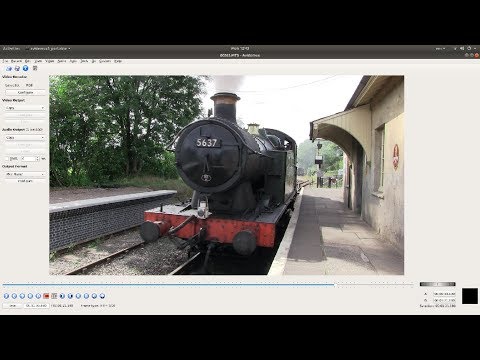
Playback starts YouTube’s embedded player (privacy-enhanced mode).
Avidemux: Quick And Easy Video Editing Tutorial For Beginners.
ChannelChipper VideosDescription from the creator
How to edit and join multiple/lots of video clips quickly and easily using Avidemux.
Avidemux is a free and open-source video editing program designed for video editing and video processing. It is written in C++, and uses either GTK+ or Qt for its user interface.
Avidemux is capable of non-linear video editing, applying visual effects (called "Filters" by Avidemux) to video, and transcoding video into various formats. Some of the filters were ported from MPlayer and Avisynth. Avidemux can also insert audio streams into a video file (an action known as multiplexing or "muxing") or extract audio streams from video files (an action known as "demuxing").
Avidemux supports many formats, such as AVI, MP4, Matroska, MPEG-2, H.264 and H.265. It does not yet, or only partially supports modern open formats, like Opus, WebM, VP8, VP9 and AV1.
An integral and important part of the design of the program is its project system, which uses the SpiderMonkey JavaScript engine. Whole projects with all options, configurations, selections, and preferences can be saved into a project file. Like VirtualDub's VCF scripting capabilities, Avidemux has advanced scripting available for it both in its GUI and command line modes. It also supports a non-project system just like VirtualDub, where users can simply create all of their configurations and save the video directly without making a project file. A project queue system is also available.
Avidemux has built-in subtitle processing, both for optical character recognition of DVD subtitles and for rendering hard subtitles. Avidemux supports various subtitle formats, including MicroDVD (.SUB), SubStation Alpha (.SSA), Advanced SubStation Alpha (.ASS) and SubRip (.SRT).
While it is primarily a GUI program, Avidemux can also be run from the command line.
Avidemux is available for almost all Linux distributions that are capable of compiling C++, GTK+ and the SpiderMonkey JavaScript engine. A Win32 version of this program is also available for Microsoft Windows users, as well as Mac OS X, FreeBSD, NetBSD and OpenBSD ports and packages. Starting with version 2.4, Avidemux offers a command-line interface and two graphical ones: One based on GTK+ and another based on Qt. With version 2.6 the GTK+ version is unmaintained.
Video editing is the manipulation and arrangement of video shots. Video editing is used to structure and present all video information, including films and television shows, video advertisements and video essays. Video editing has been dramatically democratized in recent years by editing software available for personal computers. Editing video can be difficult and tedious, so several technologies have been produced to aid people in this task. Pen based video editing software was developed in order to give people a more intuitive and fast way to edit video.
Though once the province of expensive machines called video editors, video editing software is now available for personal computers and workstations. Video editing includes cutting segments (trimming), re-sequencing clips, and adding transitions and other Special Effects.
• Linear video editing uses video tape and is edited in a very linear way. Several video clips from different tapes are recorded to one single tape in the order that they will appear.
• Non-linear editing systems (NLE) allow video to be edited on computers with specialized software. This process is not destructive to the raw video footage and is done by using programs such as DaVinci Resolve, Avid Media Composer, Adobe Premiere Pro and Final Cut Pro.
• Offline editing is the process by which raw footage is copied from an original source, without affecting the original film stock or video tape. Once the editing is complete, the original media is then re-assembled in the online editing stage.
• Online editing is the process of reassembling the edit to full resolution video after an offline edit has been performed. It is done in the final stage of a video production.
• Vision mixing is used when working within live television and video production environments. A vision mixer is used to cut live feed coming from several cameras in real time.
How to convert multiple videos at once,any video converter,video transcoder,best free video converter,best video converter for windows 10,best video converter for linux,resize video size,resize mp4 video,bulk resize,resize large video,how to resize video on pc,create proxy clips.
trim,combine,video.
Avidemux is a free and open-source video editing program designed for video editing and video processing. It is written in C++, and uses either GTK+ or Qt for its user interface.
Avidemux is capable of non-linear video editing, applying visual effects (called "Filters" by Avidemux) to video, and transcoding video into various formats. Some of the filters were ported from MPlayer and Avisynth. Avidemux can also insert audio streams into a video file (an action known as multiplexing or "muxing") or extract audio streams from video files (an action known as "demuxing").
Avidemux supports many formats, such as AVI, MP4, Matroska, MPEG-2, H.264 and H.265. It does not yet, or only partially supports modern open formats, like Opus, WebM, VP8, VP9 and AV1.
An integral and important part of the design of the program is its project system, which uses the SpiderMonkey JavaScript engine. Whole projects with all options, configurations, selections, and preferences can be saved into a project file. Like VirtualDub's VCF scripting capabilities, Avidemux has advanced scripting available for it both in its GUI and command line modes. It also supports a non-project system just like VirtualDub, where users can simply create all of their configurations and save the video directly without making a project file. A project queue system is also available.
Avidemux has built-in subtitle processing, both for optical character recognition of DVD subtitles and for rendering hard subtitles. Avidemux supports various subtitle formats, including MicroDVD (.SUB), SubStation Alpha (.SSA), Advanced SubStation Alpha (.ASS) and SubRip (.SRT).
While it is primarily a GUI program, Avidemux can also be run from the command line.
Avidemux is available for almost all Linux distributions that are capable of compiling C++, GTK+ and the SpiderMonkey JavaScript engine. A Win32 version of this program is also available for Microsoft Windows users, as well as Mac OS X, FreeBSD, NetBSD and OpenBSD ports and packages. Starting with version 2.4, Avidemux offers a command-line interface and two graphical ones: One based on GTK+ and another based on Qt. With version 2.6 the GTK+ version is unmaintained.
Video editing is the manipulation and arrangement of video shots. Video editing is used to structure and present all video information, including films and television shows, video advertisements and video essays. Video editing has been dramatically democratized in recent years by editing software available for personal computers. Editing video can be difficult and tedious, so several technologies have been produced to aid people in this task. Pen based video editing software was developed in order to give people a more intuitive and fast way to edit video.
Though once the province of expensive machines called video editors, video editing software is now available for personal computers and workstations. Video editing includes cutting segments (trimming), re-sequencing clips, and adding transitions and other Special Effects.
• Linear video editing uses video tape and is edited in a very linear way. Several video clips from different tapes are recorded to one single tape in the order that they will appear.
• Non-linear editing systems (NLE) allow video to be edited on computers with specialized software. This process is not destructive to the raw video footage and is done by using programs such as DaVinci Resolve, Avid Media Composer, Adobe Premiere Pro and Final Cut Pro.
• Offline editing is the process by which raw footage is copied from an original source, without affecting the original film stock or video tape. Once the editing is complete, the original media is then re-assembled in the online editing stage.
• Online editing is the process of reassembling the edit to full resolution video after an offline edit has been performed. It is done in the final stage of a video production.
• Vision mixing is used when working within live television and video production environments. A vision mixer is used to cut live feed coming from several cameras in real time.
How to convert multiple videos at once,any video converter,video transcoder,best free video converter,best video converter for windows 10,best video converter for linux,resize video size,resize mp4 video,bulk resize,resize large video,how to resize video on pc,create proxy clips.
trim,combine,video.
About this tutorial
Chipper Videos published this 8:45 video tutorial on November 12, 2019. It has been watched 103,544 times on YouTube.
- Channel
- Chipper Videos
- Category
- Education
- Duration
- 8:45
- Published
- November 12, 2019
- Views
- 103,544
- Likes
- 753
Tags
Share
This tutorial in other languages
- FRAvidemux: rapide et facile de montage vidéo Tutoriel pour les débutants.
- ESAvidemux: Fácil y rápido de edición de vídeo tutoriales para principiantes.
- PTAvidemux: rápido e fácil de edição de vídeo tutorial para iniciantes.
- ITAvidemux: rapido e facile editing video tutorial per principianti.
- DEAvidemux: schnelle und einfache Videobearbeitung Tutorial für Anfänger.
- NLAvidemux: Snelle en eenvoudige videobewerking Tutorial voor beginners.
- RUAvidemux: Быстрый и легкий для редактирования видео учебник для начинающих.
- PLAvidemux: szybka i łatwa edycja wideo Tutorial dla początkujących.
- JAAvidemux:初心者のための迅速かつ簡単にビデオ編集チュートリアル。
- ARافيديمو: سريعة وسهلة تحرير الفيديو دروس مبتدئين ل.
- HIAvidemux: त्वरित और आसान वीडियो संपादन ट्यूटोरियल के लिए शुरुआती।
- IDAvidemux: Cepat Dan Mudah Video Editing Tutorial Untuk Pemula.