Playback starts YouTube’s embedded player (privacy-enhanced mode).
Capturing mini DV video tutorial
ChannelcameratestDescription from the creator
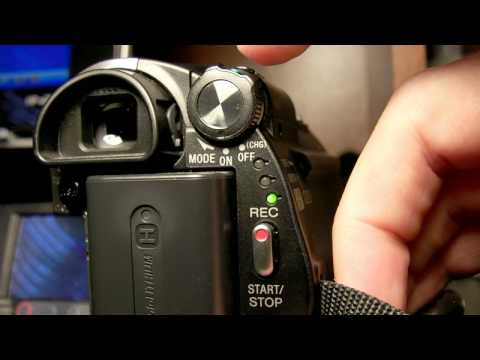
This video shows you how to capture video from a mini DV camcorder. My particular camcorder is a Sony DCR-HC62 but the process is pretty similar between different mini DV camcorders.
First you need a firewire cable (IEEE 1394 or i.LINK). My camera didnt come with one, it comes with a USB cable which is just for photos. You can get them from Best Buy, etc, but I recommend getting one online. Best Buy charges around $30, but on Amazon you can get them for as cheap as $0.65 plus shipping.
You need a 4-pin to 6-pin male to male firewire cable (4 pin side for cam, 6 for PC). You plug the cable into the computers firewire port. If you dont have a firewire port in your computer, you can buy a firewire card and install it. You can get them for anywhere from $5 to $35 or so.
Next, turn the camera on and set it to playback mode. You need some kind of video editing software to capture your video. I use Sony Vegas 6.0 but theres also Pinnacle, Nero, Adobe Premier, Ulead, and some others.
Youtube recommends using H.264 or MPG2 encoding for uploads to youtube. Vegas 6.0 is a bit old and doesnt compress in H.264 and you need an extra license to use MPG2 which I dont have. So I use WMV 3MBPS and it looks pretty good.
Render your video and upload it to youtube.
First you need a firewire cable (IEEE 1394 or i.LINK). My camera didnt come with one, it comes with a USB cable which is just for photos. You can get them from Best Buy, etc, but I recommend getting one online. Best Buy charges around $30, but on Amazon you can get them for as cheap as $0.65 plus shipping.
You need a 4-pin to 6-pin male to male firewire cable (4 pin side for cam, 6 for PC). You plug the cable into the computers firewire port. If you dont have a firewire port in your computer, you can buy a firewire card and install it. You can get them for anywhere from $5 to $35 or so.
Next, turn the camera on and set it to playback mode. You need some kind of video editing software to capture your video. I use Sony Vegas 6.0 but theres also Pinnacle, Nero, Adobe Premier, Ulead, and some others.
Youtube recommends using H.264 or MPG2 encoding for uploads to youtube. Vegas 6.0 is a bit old and doesnt compress in H.264 and you need an extra license to use MPG2 which I dont have. So I use WMV 3MBPS and it looks pretty good.
Render your video and upload it to youtube.
About this tutorial
cameratest published this 2:40 video tutorial on November 15, 2009. It has been watched 333,637 times on YouTube.
- Channel
- cameratest
- Category
- Education
- Duration
- 2:40
- Published
- November 15, 2009
- Views
- 333,637
- Likes
- 483
Tags
Share
This tutorial in other languages
- FRCapturer mini DV tutoriel vidéo
- ESLa captura de mini DV video tutorial
- PTCaptura mini-DV vídeo tutorial
- ITCattura mini DV video tutorial
- DECapturing Mini-DV-Video-Tutorial
- NLVastleggen mini-DV-video tutorial
- RUЗахват мини DV видео учебник
- PLSamouczek wideo Przechwytywanie Mini DV
- JAミニDVビデオチュートリアルのキャプチャ
- ARاسر مصغرة DV الفيديو التعليمي
- HIकैप्चर मिनी डीवी वीडियो ट्यूटोरियल
- IDMenangkap Mini DV Video tutorial