Playback starts YouTube’s embedded player (privacy-enhanced mode).
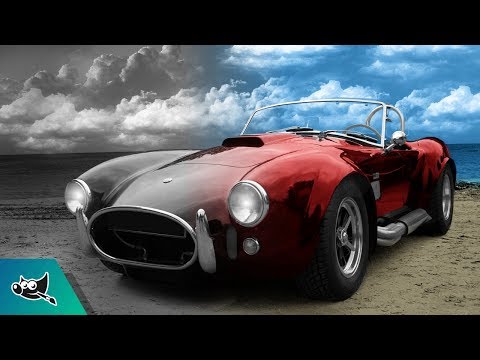
GIMP Tutorial: Restore Color to Black and White Photo
ChannelLogos By NickDescription from the creator
Color restoration for black & white photos using GIMP
This tutorial is for GIMP version 2.8 and is intended to teach beginners how to use the software. GIMP is a great free alternative to Adobe Photoshop.
Need a logo made? Request a design at: logosbynick.com
Ready to monetize your design skills? Check out my free guide on landing freelancing gigs: logosbynick.com/freelance/
If you feel compelled to support my work here on Youtube in any way, a one-time purchase of my $17 online course outlining how to design a logo from start to finish would be greatly appreciated, and you may learn a thing or two about logo design as well. You can check it out here: logosbynick.com/designcourse/
Dark theme & updated icon for GIMP: youtu.be/uMojKEHLP0A
Facebook: facebook.com/logosbynick
Twitter: @logosbynick
Instagram: @itslogosbynick
My design setup: logosbynick.com/look-new-design-setup/
Intro song: "In Da Mood" by Combustibles, used with written permission
This tutorial is for GIMP version 2.8 and is intended to teach beginners how to use the software. GIMP is a great free alternative to Adobe Photoshop.
Need a logo made? Request a design at: logosbynick.com
Ready to monetize your design skills? Check out my free guide on landing freelancing gigs: logosbynick.com/freelance/
If you feel compelled to support my work here on Youtube in any way, a one-time purchase of my $17 online course outlining how to design a logo from start to finish would be greatly appreciated, and you may learn a thing or two about logo design as well. You can check it out here: logosbynick.com/designcourse/
Dark theme & updated icon for GIMP: youtu.be/uMojKEHLP0A
Facebook: facebook.com/logosbynick
Twitter: @logosbynick
Instagram: @itslogosbynick
My design setup: logosbynick.com/look-new-design-setup/
Intro song: "In Da Mood" by Combustibles, used with written permission
About this tutorial
Logos By Nick published this 7:37 video tutorial on November 1, 2017. It has been watched 55,537 times on YouTube.
- Channel
- Logos By Nick
- Category
- Education
- Duration
- 7:37
- Published
- November 1, 2017
- Views
- 55,537
- Likes
- 1,304
Tags
Share
This tutorial in other languages
- FRGIMP Tutoriel: restaurer la couleur à Photo Noir et Blanc
- ESGIMP Tutorial: restaurar el color a Blanco y Negro Foto
- PTGIMP Tutorial: restaurar a cor para preto e branco da foto
- ITGIMP Tutorial: ridare colore bianco e nero Photo
- DEGIMP Tutorial: Wiederherstellen Farbe zu Schwarzweiss-Foto
- NLGIMP Tutorial: herstel kleuren Black and White Photo
- RUGIMP Учебное пособие: Восстановление цвета в черно-белой фотографии
- PLGIMP Tutorial: Przywracanie kolorowych na czarno-białe zdjęcie
- JAGIMPチュートリアル:白黒写真に色を復元します。
- ARالأعرج دروس: استعادة اللون إلى أبيض وأسود صور
- HIGIMP ट्यूटोरियल: ब्लैक एंड व्हाइट फोटो को पुनर्स्थापित रंग
- IDGIMP Tutorial: Kembalikan Warna ke Hitam dan Putih Foto