Playback starts YouTube’s embedded player (privacy-enhanced mode).
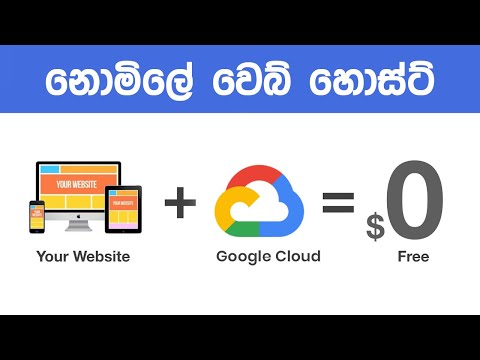
Google Cloud Website Hosting - Free Web Hosting Sinhala Tutorials
ChannelChandimaDescription from the creator
Google Cloud Website Hosting. Free Web Hosting Sinhala Tutorials.
In this tutorial you can learn about WordPress Free Hosting using Google Cloud. Free Web Hosting in Sinhala. Free WordPress Web Hosting on Cloud Web Hosting Sinhala.
SSH Command:
sudo /opt/bitnami/apps/wordpress/bnconfig --disable_banner 1
Host a FREE Google Cloud Storage Website. When you have a static website that includes only HTML , CSS, JS and Images, you do not need a web server. You can upload your website files to Google Cloud Storage within 5 minutes, and make your website live.
Need to know how to install WordPress on your Google Cloud?
You'll get unprecedented scalability with a cloud hosting service. Cloud servers will respond to high-traffic spikes and you pay by the hour in most situations – and you know exactly where your money is going.
In this video, we will discuss when use of Google Cloud for WordPress hosting could make sense. We'll talk about prices, and then show you how to use a step-by - step guide to install WordPress on Google Cloud.
*Why install WordPress on Google Cloud?
Google Cloud is a set of services which allow you to host your website or application on the data centers of the search giant. This hardware can be accessed via Google Cloud in the form of virtual machines ( VMs).
Cloud hosting services use a set of machines to store your data, in contrast to a standard VM or a virtual private server (VPS). We call it the cloud because it's incredibly scalable. You can also add more services to the cloud and it's perfect for high-performance projects.
You get all the usual advantages of cloud hosting with Google Cloud, and more. Google Cloud uses top-of-the-line technology, as you would expect, making it a strong-and costly-choice.
* The Price of Google Cloud?
When you are totally new to running a platform, you can get an idea of how much it costs to host. You will now find some excellent hosting plans beginning at less than $5 a month, if you agree to a contract that is long enough.
You 're getting shared servers at this price point which shouldn't come as a shock. You can also find unmanaged VPS's starting at below $10, but they normally need some know-how in server management to operate.
Google Cloud uses a pricing policy close to that of some VPS hosting providers. It costs you the services you use every hour. For example, it costs $0.0475 an hour or $24.2725 an month to operate a standard 1 CPU machine with 4 GBs of RAM.
You 're already within the same range as other run WordPress web hosts at this price point. There's one major difference, though. Managed hosts also provide you with a very hands-off environment in which they take care of every advanced configuration. In comparison, Google Cloud allows you complete leverage over the cloud.
learn more about watching the video.
I hope you enjoy watching this video. So, Don't forget to:
* Subscribe on YouTube: bit.ly/ChandimaGalahitiyawa
* Visit my website: chandimagalahitiyawa.com
* Like on Facebook: facebook.com/chandima.galahitiyawa
* Follow on Instagram: instagram.com/chandima.galahitiyawa
Thanks and have a nice day!
In this tutorial you can learn about WordPress Free Hosting using Google Cloud. Free Web Hosting in Sinhala. Free WordPress Web Hosting on Cloud Web Hosting Sinhala.
SSH Command:
sudo /opt/bitnami/apps/wordpress/bnconfig --disable_banner 1
Host a FREE Google Cloud Storage Website. When you have a static website that includes only HTML , CSS, JS and Images, you do not need a web server. You can upload your website files to Google Cloud Storage within 5 minutes, and make your website live.
Need to know how to install WordPress on your Google Cloud?
You'll get unprecedented scalability with a cloud hosting service. Cloud servers will respond to high-traffic spikes and you pay by the hour in most situations – and you know exactly where your money is going.
In this video, we will discuss when use of Google Cloud for WordPress hosting could make sense. We'll talk about prices, and then show you how to use a step-by - step guide to install WordPress on Google Cloud.
*Why install WordPress on Google Cloud?
Google Cloud is a set of services which allow you to host your website or application on the data centers of the search giant. This hardware can be accessed via Google Cloud in the form of virtual machines ( VMs).
Cloud hosting services use a set of machines to store your data, in contrast to a standard VM or a virtual private server (VPS). We call it the cloud because it's incredibly scalable. You can also add more services to the cloud and it's perfect for high-performance projects.
You get all the usual advantages of cloud hosting with Google Cloud, and more. Google Cloud uses top-of-the-line technology, as you would expect, making it a strong-and costly-choice.
* The Price of Google Cloud?
When you are totally new to running a platform, you can get an idea of how much it costs to host. You will now find some excellent hosting plans beginning at less than $5 a month, if you agree to a contract that is long enough.
You 're getting shared servers at this price point which shouldn't come as a shock. You can also find unmanaged VPS's starting at below $10, but they normally need some know-how in server management to operate.
Google Cloud uses a pricing policy close to that of some VPS hosting providers. It costs you the services you use every hour. For example, it costs $0.0475 an hour or $24.2725 an month to operate a standard 1 CPU machine with 4 GBs of RAM.
You 're already within the same range as other run WordPress web hosts at this price point. There's one major difference, though. Managed hosts also provide you with a very hands-off environment in which they take care of every advanced configuration. In comparison, Google Cloud allows you complete leverage over the cloud.
learn more about watching the video.
I hope you enjoy watching this video. So, Don't forget to:
* Subscribe on YouTube: bit.ly/ChandimaGalahitiyawa
* Visit my website: chandimagalahitiyawa.com
* Like on Facebook: facebook.com/chandima.galahitiyawa
* Follow on Instagram: instagram.com/chandima.galahitiyawa
Thanks and have a nice day!
About this tutorial
Chandima published this 16:02 video tutorial on October 28, 2019. It has been watched 59,515 times on YouTube.
Tags
Share
This tutorial in other languages
- FRSite Web Google Cloud Hosting - Free Web Hosting cinghalais Tutoriels
- ESGoogle Cloud Alojamiento Web - Free Web Hosting cingalés tutoriales
- PTGoogle Cloud Web Hosting - hospedagem gratuita na web Sinhala Tutoriais
- ITGoogle Cloud Website Hosting - Free Web Hosting singalese Tutorial
- DEGoogle Cloud Website Hosting - kostenlose Web-Hosting-Singhalesisch Tutorials
- NLGoogle Cloud Website Hosting - Free Web Hosting Singalees Tutorials
- RUGoogle Cloud Хостинг веб-сайты - бесплатный веб-хостинг сингальских Учебников
- PLGoogle Cloud Hosting WWW - Web Hosting syngaleskim Darmowe Poradniki
- JAGoogleクラウドウェブサイトのホスティング - 無料のWebは、シンハラチュートリアルホスティング
- ARجوجل الغيمة موقع استضافة - استضافة مجانية على الشبكة السنهالية دروس
- HIGoogle मेघ वेबसाइट होस्टिंग - नि: शुल्क वेब होस्टिंग सिंहली ट्यूटोरियल
- IDGoogle Cloud Website Hosting - Web Hosting Gratis Sinhala Tutorial