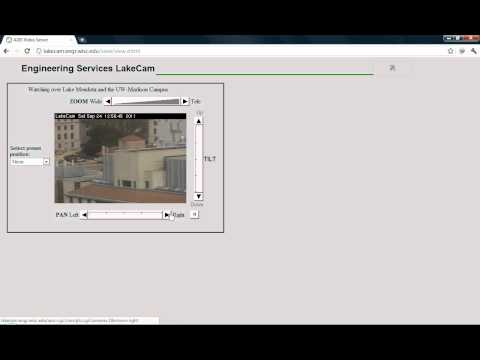
Playback starts YouTube’s embedded player (privacy-enhanced mode).
How To Access Security Cameras using Google
ChannelTLRTutorialsDescription from the creator
How to Access Security Cameras using Google
PLEASE RATE COMMENT AND SUBSCRIBE!!!
Codes (Copy and Paste):
- inurl:/view.shtml
- intitle:"Live View / - AXIS" | inurl:view/view.shtml^
- inurl:ViewerFrame?Mode=
- inurl:ViewerFrame?Mode=Refresh
- inurl:axis-cgi/jpg
- inurl:axis-cgi/mjpg (motion-JPEG)
- inurl:view/indexFrame.shtml
- inurl:view/index.shtml
- inurl:view/view.shtml
- liveapplet
- intitle:"live view" intitle:axis
- intitle:liveapplet
- allintitle:"Network Camera NetworkCamera"
- intitle:axis intitle:"video server"
- intitle:liveapplet inurl:LvAppl
- intitle:"EvoCam" inurl:"webcam.html"
- intitle:"Live NetSnap Cam-Server feed"
- intitle:"Live View / - AXIS"
- intitle:"Live View / - AXIS 206M"
- intitle:"Live View / - AXIS 206W"
- intitle:"Live View / - AXIS 210″
- inurl:indexFrame.shtml Axis
- inurl:"MultiCameraFrame?Mode=Motion"
- intitle:start inurl:cgistart
- intitle:"WJ-NT104 Main Page"
- intitle:snc-z20 inurl:home/
- intitle:snc-cs3 inurl:home/
- intitle:snc-rz30 inurl:home/
- intitle:"sony network camera snc-p1″
- intitle:"sony network camera snc-m1″
- site:.viewnetcam.com -www.viewnetcam.com
- intitle:"Toshiba Network Camera" user login
- intitle:"netcam live image"
- intitle:"i-Catcher Console - Web Monitor"
PLEASE RATE COMMENT AND SUBSCRIBE!!!
Codes (Copy and Paste):
- inurl:/view.shtml
- intitle:"Live View / - AXIS" | inurl:view/view.shtml^
- inurl:ViewerFrame?Mode=
- inurl:ViewerFrame?Mode=Refresh
- inurl:axis-cgi/jpg
- inurl:axis-cgi/mjpg (motion-JPEG)
- inurl:view/indexFrame.shtml
- inurl:view/index.shtml
- inurl:view/view.shtml
- liveapplet
- intitle:"live view" intitle:axis
- intitle:liveapplet
- allintitle:"Network Camera NetworkCamera"
- intitle:axis intitle:"video server"
- intitle:liveapplet inurl:LvAppl
- intitle:"EvoCam" inurl:"webcam.html"
- intitle:"Live NetSnap Cam-Server feed"
- intitle:"Live View / - AXIS"
- intitle:"Live View / - AXIS 206M"
- intitle:"Live View / - AXIS 206W"
- intitle:"Live View / - AXIS 210″
- inurl:indexFrame.shtml Axis
- inurl:"MultiCameraFrame?Mode=Motion"
- intitle:start inurl:cgistart
- intitle:"WJ-NT104 Main Page"
- intitle:snc-z20 inurl:home/
- intitle:snc-cs3 inurl:home/
- intitle:snc-rz30 inurl:home/
- intitle:"sony network camera snc-p1″
- intitle:"sony network camera snc-m1″
- site:.viewnetcam.com -www.viewnetcam.com
- intitle:"Toshiba Network Camera" user login
- intitle:"netcam live image"
- intitle:"i-Catcher Console - Web Monitor"
About this tutorial
TLRTutorials published this 1:39 video tutorial on October 28, 2011. It has been watched 8,291 times on YouTube.
- Channel
- TLRTutorials
- Category
- Education
- Duration
- 1:39
- Published
- October 28, 2011
- Views
- 8,291
- Likes
- 21
Share
This tutorial in other languages
- FRComment accéder à la sécurité caméras utilisant Google
- ES¿Cómo Cámaras de seguridad para acceder a través de Google
- PTComo câmeras de segurança para acesso usando o Google
- ITCome accedere Telecamere di sicurezza utilizzando Google
- DEHow To Access Security Kameras mit Google
- NLHow To Access Security Camera's met behulp van Google
- RUКак получить доступ к безопасности камеры с помощью Google
- PLJak Kamery bezpieczeństwa, aby uzyskać dostęp za pomocą Google
- JAどのようにするにはアクセスセキュリティカメラグーグルを使って
- ARكيف كاميرات الأمن Access استخدام جوجل
- HIकैसे करने के लिए पहुँच सुरक्षा कैमरे गूगल का उपयोग करते हुए
- IDCara Akses Kamera Keamanan menggunakan Google