Playback starts YouTube’s embedded player (privacy-enhanced mode).
How to add Lyrics to Your Ipod Songs
ChannelallanisallanDescription from the creator
This will work on any ipod except the old ones & the Ipod Shuffle.
It's pretty much easy.
What sucks is that you have to do this to each song individually.
More like a waste of time :P Just listen to the song a lot and get it in your head (:
SUBSCRIBE
Guide:
1. Open up Itunes.
If you don't have it go here itunes.com
2. Go to your Ipod or the Library Music (Either one to put in the Lyrics)
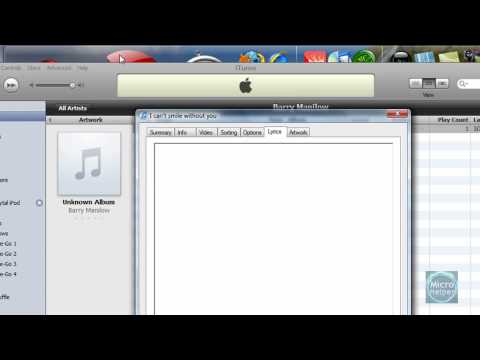
3. Right click on that song your gonna put the lyrics on and click on "Get more Info"
And click on the "Lyrics" Tab.
It'll show a empty space. That's where you will put in the lyrics.
Just go on "Google" and search
(Artist Name) - (Song) Lyrics
And search for it and open the link in a "New Tab" or a Window.
And just copy all that text and lyrics and paste it in that small window in Itunes.
After that's done just click on "Ok" (If you did it in Library just drag it to the Ipod's Music) and your good.
Just go to your Ipod and
Just go to the song and keep pressing the "Center Button" (3 times) And you will see the lyrics.
Have fun singing.
(If these instructions didn't help, watch the video)
It's pretty much easy.
What sucks is that you have to do this to each song individually.
More like a waste of time :P Just listen to the song a lot and get it in your head (:
SUBSCRIBE
Guide:
1. Open up Itunes.
If you don't have it go here itunes.com
2. Go to your Ipod or the Library Music (Either one to put in the Lyrics)
3. Right click on that song your gonna put the lyrics on and click on "Get more Info"
And click on the "Lyrics" Tab.
It'll show a empty space. That's where you will put in the lyrics.
Just go on "Google" and search
(Artist Name) - (Song) Lyrics
And search for it and open the link in a "New Tab" or a Window.
And just copy all that text and lyrics and paste it in that small window in Itunes.
After that's done just click on "Ok" (If you did it in Library just drag it to the Ipod's Music) and your good.
Just go to your Ipod and
Just go to the song and keep pressing the "Center Button" (3 times) And you will see the lyrics.
Have fun singing.
(If these instructions didn't help, watch the video)
About this tutorial
allanisallan published this 3:58 video tutorial on November 9, 2009. It has been watched 33,714 times on YouTube.
- Channel
- allanisallan
- Category
- Education
- Duration
- 3:58
- Published
- November 9, 2009
- Views
- 33,714
- Likes
- 138
Tags
Share
This tutorial in other languages
- FRComment ajouter les paroles de chansons de votre iPod
- ESCómo añadir letras a canciones de su iPod
- PTComo adicionar letras para suas canções Ipod
- ITCome aggiungere canzone le tue canzoni Ipod
- DEWie deutsche Übersetzung auf den iPod Songs hinzufügen
- NLHoe te Lyrics naar uw iPod nummers toe te voegen
- RUКак добавить тексты песен для ваших Ипод песен
- PLJak dodać słowa iPodzie Pieśniami
- JAお使いのiPodの曲に歌詞を追加する方法
- ARكيفية إضافة الأغاني إلى أي بود الخاص بك أغاني
- HIआपका आइपॉड गीत के लिए गीत कैसे जोड़ें
- IDBagaimana menambahkan Lirik untuk Ipod Lagu Anda