Playback starts YouTube’s embedded player (privacy-enhanced mode).
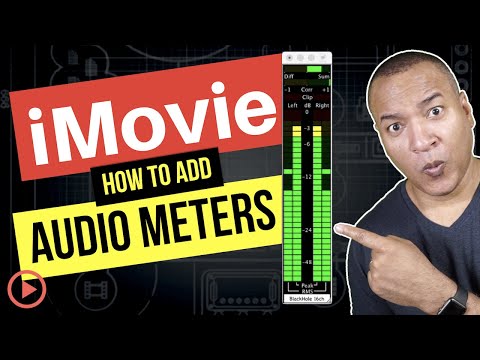
How to Add Pro Audio Meters to iMovie for Mac
ChannelMichael KinneyChapters
Description from the creator
In this video I show you how to add professional-grade audio meters to iMovie, so you can monitor and control your audio levels like you can in more expensive, pro-level editing software, like Final Cut Pro or Premiere Pro. First, I show you a professional, inexpensive setup, using a $5 (US) piece of software from the Mac App Store. After that I show you a free audio meter solution for iMovie.
❤️ If you're finding value in my content, show your support by giving me a Super Thanks!
00:00 Intro
00:32 Why audio meters?
02:29 Downloading ProLevel
03:47 Downloading BlackHole
05:18 Connecting BlackHole
08:04 Connecting ProLevel
09:06 How to read meters
10:37 Using Audacity's meters
This video is NOT sponsored.
Link to ProLevel audio meters for Mac:
apps.apple.com/us/app/prolevel/id526304550?mt=12
Link to download BlackHole - Free, open-source Mac audio driver
github.com/existentialaudio/blackhole
Link to download Audacity - Free, open-source, cross-platform audio software:
audacityteam.org/
***********************************************
Tools used to make this video (Affiliate links):
Camera:
Sony Alpha 6400 | APS-C Mirrorless Camera amzn.to/32NP7JR
Lens:
Sony SEL35F18 35mm f/1.8 Prime Fixed Lens amzn.to/3cCpyNt
Camera HDMI to USB 3.0 Capture:
AJA U-TAP HDMI Simple USB 3.0 Powered HDMI Capture amzn.to/2X6TwRV
Camera Microphone:
RODE NTG-2 amzn.to/2G8jjBx
Voice-Over Microphone:
Samson Q2U USB/XLR Dynamic Microphone amzn.to/2ZZBx4l
USB Audio Interface/Mixer:
Yamaha AG03 3-Channel Mixer / 1 Microphone amzn.to/2TGrz3i
Lights:
Elgato Key Light, Professional Studio LED Panel With 2800 Lumens, Color Adjustable, App-Enabled, for Mac/Windows/iPhone/Android, Metal Desk Mount amzn.to/2OSbNjW
Editing: Screenflow 9:
bit.ly/screenflowEditing
***********************************************
TWITTER ➔ twitter.com/MichaelKinney
#imovietutorial #imovieaudio #imoviehacks
DISCLOSURE: I often link to products & services I regularly use and think you might find helpful. To support this channel, I use affiliate links wherever possible, which means if you click one of the links in this video or description and make a purchase I may receive a small commission or other compensation.
❤️ If you're finding value in my content, show your support by giving me a Super Thanks!
00:00 Intro
00:32 Why audio meters?
02:29 Downloading ProLevel
03:47 Downloading BlackHole
05:18 Connecting BlackHole
08:04 Connecting ProLevel
09:06 How to read meters
10:37 Using Audacity's meters
This video is NOT sponsored.
Link to ProLevel audio meters for Mac:
apps.apple.com/us/app/prolevel/id526304550?mt=12
Link to download BlackHole - Free, open-source Mac audio driver
github.com/existentialaudio/blackhole
Link to download Audacity - Free, open-source, cross-platform audio software:
audacityteam.org/
***********************************************
Tools used to make this video (Affiliate links):
Camera:
Sony Alpha 6400 | APS-C Mirrorless Camera amzn.to/32NP7JR
Lens:
Sony SEL35F18 35mm f/1.8 Prime Fixed Lens amzn.to/3cCpyNt
Camera HDMI to USB 3.0 Capture:
AJA U-TAP HDMI Simple USB 3.0 Powered HDMI Capture amzn.to/2X6TwRV
Camera Microphone:
RODE NTG-2 amzn.to/2G8jjBx
Voice-Over Microphone:
Samson Q2U USB/XLR Dynamic Microphone amzn.to/2ZZBx4l
USB Audio Interface/Mixer:
Yamaha AG03 3-Channel Mixer / 1 Microphone amzn.to/2TGrz3i
Lights:
Elgato Key Light, Professional Studio LED Panel With 2800 Lumens, Color Adjustable, App-Enabled, for Mac/Windows/iPhone/Android, Metal Desk Mount amzn.to/2OSbNjW
Editing: Screenflow 9:
bit.ly/screenflowEditing
***********************************************
TWITTER ➔ twitter.com/MichaelKinney
#imovietutorial #imovieaudio #imoviehacks
DISCLOSURE: I often link to products & services I regularly use and think you might find helpful. To support this channel, I use affiliate links wherever possible, which means if you click one of the links in this video or description and make a purchase I may receive a small commission or other compensation.
About this tutorial
Michael Kinney published this 12:18 video tutorial on September 14, 2020. It has been watched 15,111 times on YouTube.
- Channel
- Michael Kinney
- Category
- Education
- Duration
- 12:18
- Published
- September 14, 2020
- Views
- 15,111
- Likes
- 391
Tags
Share
This tutorial in other languages
- FRComment ajouter sonomètres Pro à iMovie pour Mac
- ESCómo agregar medidores de audio Pro a iMovie para Mac
- PTComo adicionar Medidores de áudio Pro para o iMovie para Mac
- ITCome aggiungere Metri Audio Pro di iMovie per Mac
- DEWie Hinzufügen Pro Audio Meter zu iMovie für Mac
- NLHoe toe te voegen Pro Audio Meters naar iMovie voor Mac
- RUКак добавить Pro Audio Метров в IMOVIE для Mac
- PLJak dodać Pro Meters audio do iMovie for Mac
- JAMac用のiMovieにプロオーディオメーターを追加する方法
- ARكيفية إضافة برو متر الصوت إلى موفي لنظام التشغيل Mac
- HIकैसे मैक के लिए iMovie के लिए प्रो ऑडियो मीटर जोड़ें
- IDBagaimana Tambahkan Meter Audio Pro untuk iMovie untuk Mac