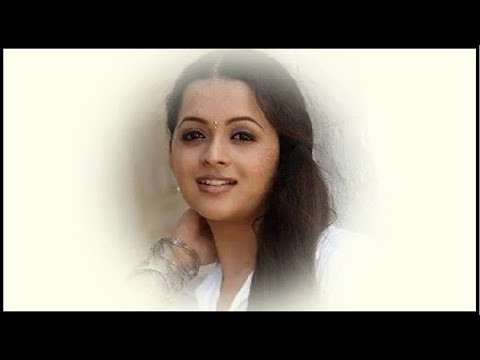
Playback starts YouTube’s embedded player (privacy-enhanced mode).
How To Apply Feather || What is use of feather || Photoshop Tutorials
ChannelQuick TutsDescription from the creator
How To Apply Feather || What is use of feather || Photoshop Tutorials
1. Import Your Image (Ctrl + O)
2. Create New File - File (Ctrl+N) And Drag On New File
3. Choose Elliptical Marquee Tool And Draw On Image
4. Choose Select - Modify - Feather
5. Choose Select - Inverse
6. Select Color
7. Alt - Backspace
8. Deselect Marquee (Ctrl+D)
Don't Miss Free Updates Subscribe Here @
youtube.com/channel/UCbZoVd_gFq4cXeYbMjqx6Mw
1. Import Your Image (Ctrl + O)
2. Create New File - File (Ctrl+N) And Drag On New File
3. Choose Elliptical Marquee Tool And Draw On Image
4. Choose Select - Modify - Feather
5. Choose Select - Inverse
6. Select Color
7. Alt - Backspace
8. Deselect Marquee (Ctrl+D)
Don't Miss Free Updates Subscribe Here @
youtube.com/channel/UCbZoVd_gFq4cXeYbMjqx6Mw
About this tutorial
Quick Tuts published this 3:53 video tutorial on November 3, 2014. It has been watched 356,551 times on YouTube.
- Channel
- Quick Tuts
- Category
- Education
- Duration
- 3:53
- Published
- November 3, 2014
- Views
- 356,551
- Likes
- 1,020
Tags
Share
This tutorial in other languages
- FRComment faire une demande de plumes || Quelle est l'utilisation des plumes || Tutoriels Photoshop
- ESCómo aplicar pluma || ¿Cuál es el uso de la pluma || tutoriales de Photoshop
- PTComo aplicar pena || Qual é o uso da pena || Tutoriais Photoshop
- ITCome applicare Feather || Qual è l'uso di piuma || Tutorial Photoshop
- DEWie bewerbe du dich Feder || Was ist die Verwendung von Feder || Photoshop Tutorials
- NLHoe een aanvraag Feather || Wat is het gebruik van veren || Photoshop Tutorials
- RUКак применить перо || Что такое использование пера || Уроки Photoshop
- PLJak ubiegać Feather || Co to jest użycie piór || Photoshop Tutorials
- JAフェザーを適用する方法||羽の使用は何ですか|| Photoshopのチュートリアル
- ARكيفية تطبيق الريشة || ما هو استخدام ريشة || فوتوشوب دروس
- HIपंख लागू करने के लिए कैसे || पंख का उपयोग क्या है || फ़ोटोशॉप ट्यूटोरियल
- IDCara Mendaftar Feather || Apa penggunaan bulu || Photoshop Tutorial