Playback starts YouTube’s embedded player (privacy-enhanced mode).
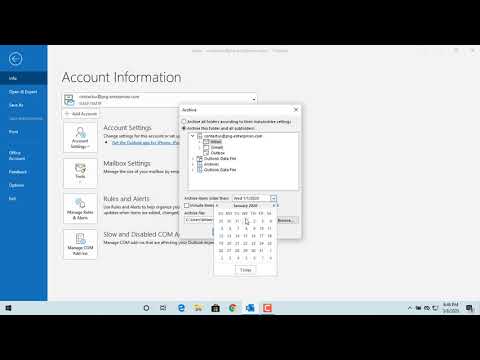
How to Archive Emails in Outlook - Office 365
ChannelFind Easy SolutionDescription from the creator
About this tutorial
Find Easy Solution published this 1:21 video tutorial on March 25, 2020. It has been watched 492,259 times on YouTube.
- Channel
- Find Easy Solution
- Category
- Education
- Duration
- 1:21
- Published
- March 25, 2020
- Views
- 492,259
- Likes
- 1,237
Share
Further reading
-
Archive in Outlook for Windows - Outlook
support.microsoft.com
For Microsoft 365, Outlook.com, and Exchange accounts, the Archive folder is one of Outlook's default folders, like Inbox, Sent Items, and the Deleted Items folder. This folder can't be deleted. If you use Outlook with…
-
Archive items manually - Outlook
support.microsoft.com
Your Outlook mailbox is only so big, and it’s a good bet that you won’t stop getting email anytime soon. To keep it from filling up, you can move old items you want to keep to an archive, a separate Outlook Data File (.…
-
How to Archive Mails in Office 365? - Data Recovery Blog
nucleustechnologies.com
Select the specific emails and right-click on them. A wizard will appear on the screen. Hit the “Archive” button to move these emails to the archive mailbox. Archiving in Outlook 2016 To archive emails in Outlook 2016.…
This tutorial in other languages
- FRComment e-mails d'archivage dans Outlook - Office 365
- ESCómo archivar correos electrónicos en Outlook - Office 365
- PTComo Emails Arquivo em Outlook - Office 365
- ITCome archiviare le email in Outlook - Office 365
- DEWie zum Archiv E-Mails in Outlook - Office 365
- NLHoe kan ik e-mails archiveren in Outlook - Office 365
- RUКак Архив сообщений электронной почты в Outlook, - Office 365
- PLJak archiwizowanie maili w programie Outlook - Office 365
- JAどのようにOutlookのアーカイブ電子メールへ - Office 365の
- ARكيفية رسائل البريد الإلكتروني في Outlook الأرشيف - مكتب 365
- HIकैसे Outlook में पुरालेख ईमेल के लिए - Office 365
- IDCara Arsip Email di Outlook - Office 365