Playback starts YouTube’s embedded player (privacy-enhanced mode).
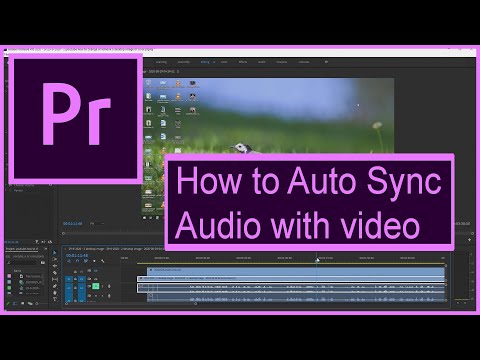
How to Auto Sync Audio with video in Adobe Premiere Pro CC
ChannelRob JorgDescription from the creator
Easily Auto Sync Audio with Video in Adobe Premiere Pro CC - Tutorial
Welcome to our tutorial on how to easily auto sync audio with video in Adobe Premiere Pro CC. In this video, we will show you step-by-step how to use the powerful syncing tool in Adobe Premiere Pro CC to save time and improve the quality of your videos. Don't forget to like and subscribe for more great video editing tips and tricks.
Auto syncing audio and video in Adobe Premiere Pro CC is a simple process that can save you a lot of time and improve the overall quality of your videos. To start, you'll need to have both your audio and video files imported into your Adobe Premiere Pro CC project. Once you have your files imported, you'll need to select the audio and video clips that you want to sync. Then, go to the 'Clip' menu and select 'Sync Audio and Video'. Adobe Premiere Pro CC will then automatically sync the audio and video files. You can also use markers to manually sync the audio and video files. Finally, be sure to check the synced audio and video to ensure that it is in perfect sync before exporting your final video.
#AdobePremiereProCC #VideoEditing #AudioSync #Tutorial
Don't forget to like and subscribe for more great video editing tips and tricks.
#adobe #adobepremierepro #adobetutorials #premiere
Welcome to our tutorial on how to easily auto sync audio with video in Adobe Premiere Pro CC. In this video, we will show you step-by-step how to use the powerful syncing tool in Adobe Premiere Pro CC to save time and improve the quality of your videos. Don't forget to like and subscribe for more great video editing tips and tricks.
Auto syncing audio and video in Adobe Premiere Pro CC is a simple process that can save you a lot of time and improve the overall quality of your videos. To start, you'll need to have both your audio and video files imported into your Adobe Premiere Pro CC project. Once you have your files imported, you'll need to select the audio and video clips that you want to sync. Then, go to the 'Clip' menu and select 'Sync Audio and Video'. Adobe Premiere Pro CC will then automatically sync the audio and video files. You can also use markers to manually sync the audio and video files. Finally, be sure to check the synced audio and video to ensure that it is in perfect sync before exporting your final video.
#AdobePremiereProCC #VideoEditing #AudioSync #Tutorial
Don't forget to like and subscribe for more great video editing tips and tricks.
#adobe #adobepremierepro #adobetutorials #premiere
About this tutorial
Rob Jorg published this 5:02 video tutorial on September 15, 2020. It has been watched 243 times on YouTube.
Tags
Share
This tutorial in other languages
- FRComment synchroniser Auto Audio avec la vidéo dans Adobe Premiere Pro CC
- ESCómo sincronización automática de audio con vídeo en Adobe Premiere Pro CC
- PTComo Auto sincronização de áudio com o vídeo no Adobe Premiere Pro CC
- ITCome sincronizzazione automatica audio con il video in Adobe Premiere Pro CC
- DEWie man Auto-Sync-Audio mit Video in Adobe Premiere Pro CC
- NLHoe kan ik Auto Sync audio met video in Adobe Premiere Pro CC
- RUКак автоматическая синхронизация аудио с видео в Adobe Premiere Pro CC
- PLJak Automatyczna synchronizacja audio z wideo w Adobe Premiere Pro CC
- JAどのようにビデオとオーディオの自動同期するには、Adobe Premiere ProのCCで
- ARكيفية المزامنة التلقائية الصوت مع الفيديو في أدوبي بريمير برو CC
- HIकैसे स्वत: सिंक ऑडियो करने के लिए एडोब प्रीमियर प्रो सीसी वीडियो के साथ
- IDCara Auto Sync Audio dengan video di Adobe Premiere Pro CC