Playback starts YouTube’s embedded player (privacy-enhanced mode).
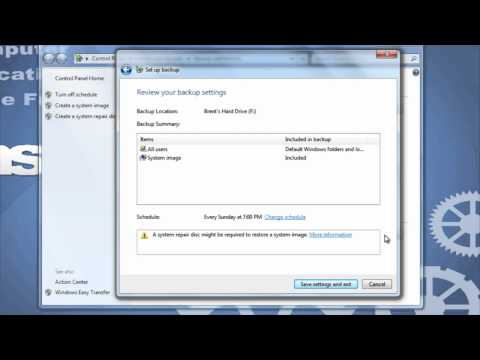
How to Back Up Your Files/Computer in Windows 7
ChannelinstructorgadgetDescription from the creator
We will learn how to set up Windows Backup for the first time as well as how to set it to a schedule so that it backs up regularly. You can back up your files to an external hard drive, USB flash drive, to CDs or DVDs, or even use an online service. Visit our website, instructorgadget.com, to view more tutorials as well as find additional resources.
About this tutorial
instructorgadget published this 3:45 video tutorial on October 31, 2011. It has been watched 970,313 times on YouTube.
- Channel
- instructorgadget
- Category
- Education
- Duration
- 3:45
- Published
- October 31, 2011
- Views
- 970,313
- Likes
- 5,089
Tags
Share
This tutorial in other languages
- FRComment sauvegarder vos fichiers / ordinateur dans Windows 7
- ESCómo hacer copia de seguridad de los archivos / PC en Windows 7
- PTComo fazer backup de seus arquivos / Computador no Windows 7
- ITCome eseguire il backup dei file / computer in Windows 7
- DESo sichern Sie Ihre Dateien / Computer in Windows 7
- NLEen back-up van uw bestanden / computer in Windows 7
- RUКак создать резервные копии файлов / компьютера в Windows 7
- PLJak wykonać kopię zapasową plików / komputer w Windows 7
- JAWindows 7でファイル/コンピュータをバックアップする方法
- ARكيفية إجراء النسخ الاحتياطي للملفات الخاصة بك / الكمبيوتر في ويندوز 7
- HIविंडोज 7 में अपनी फ़ाइलें / कंप्यूटर बैकअप लेने का तरीका
- IDCara Back Up File Anda / Komputer di Windows 7