Playback starts YouTube’s embedded player (privacy-enhanced mode).
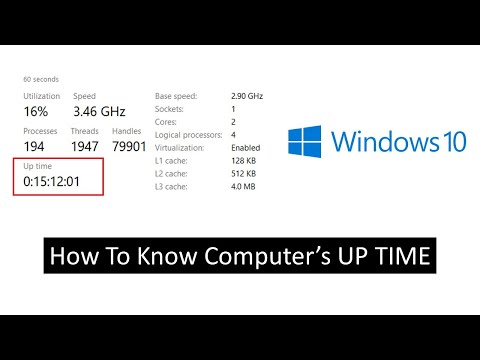
How to Check Your Computer Running Uptime | Windows 10 Tutorial
ChannelThe TeacherDescription from the creator
Discover how to check the uptime of your windows computer with ease in this comprehensive tutorial. Knowing your system uptime can be essential for troubleshooting and monitoring your PC's performance. In this video, we explore three different methods to determine your system's uptime:
Method 1: Using Task Manager
Learn how to access Task Manager quickly.
Find your system uptime within Task Manager's Performance tab.
Method 2: Command Prompt
Access Command Prompt with administrative privileges.
Use the "systeminfo" command to obtain your system's boot time.
Explore the "net stats SRV" command for additional uptime statistics.
Method 3: Windows PowerShell
Open Windows PowerShell as an administrator.
Execute a PowerShell script that provides detailed system uptime information, including days, hours, minutes, seconds, and milliseconds.
Whether you're a Windows 10 enthusiast or a troubleshooting pro, these methods will help you keep track of your system's uptime. Don't forget to like, share, and subscribe to our channel for more valuable tutorials.
🎸 Music Credits:
Italian Morning by Twin Musicom
👧 Narrated By:
Emma (TTS)
📝 Learn More, Visit: theteacherpoint.com
✅ Recommend Playlists:
🔹 Microsoft Windows 10 Tutorial Series Playlist
bit.ly/Windows-10-Tutorials-Playlist
🔸 Best Tips and Tricks Tutorial Series Playlist
bit.ly/Tips-and-Tricks-Tutorials-Playlist
👌 Follow Me:
Twitter - twitter.com/TheTeacherPoint
Facebook - facebook.com/TheTeacherPoint
Instagram - instagram.com/TheTeacherPoint/
Pinterest - in.pinterest.com/TheTeacherPoint/
#Windows10 #MicrosoftWindows #TheTeacher
🌻 A Microsoft Windows 10 Tutorial by The Teacher
Method 1: Using Task Manager
Learn how to access Task Manager quickly.
Find your system uptime within Task Manager's Performance tab.
Method 2: Command Prompt
Access Command Prompt with administrative privileges.
Use the "systeminfo" command to obtain your system's boot time.
Explore the "net stats SRV" command for additional uptime statistics.
Method 3: Windows PowerShell
Open Windows PowerShell as an administrator.
Execute a PowerShell script that provides detailed system uptime information, including days, hours, minutes, seconds, and milliseconds.
Whether you're a Windows 10 enthusiast or a troubleshooting pro, these methods will help you keep track of your system's uptime. Don't forget to like, share, and subscribe to our channel for more valuable tutorials.
🎸 Music Credits:
Italian Morning by Twin Musicom
👧 Narrated By:
Emma (TTS)
📝 Learn More, Visit: theteacherpoint.com
✅ Recommend Playlists:
🔹 Microsoft Windows 10 Tutorial Series Playlist
bit.ly/Windows-10-Tutorials-Playlist
🔸 Best Tips and Tricks Tutorial Series Playlist
bit.ly/Tips-and-Tricks-Tutorials-Playlist
👌 Follow Me:
Twitter - twitter.com/TheTeacherPoint
Facebook - facebook.com/TheTeacherPoint
Instagram - instagram.com/TheTeacherPoint/
Pinterest - in.pinterest.com/TheTeacherPoint/
#Windows10 #MicrosoftWindows #TheTeacher
🌻 A Microsoft Windows 10 Tutorial by The Teacher
About this tutorial
The Teacher published this 2:25 video tutorial on November 3, 2016. It has been watched 38,949 times on YouTube.
- Channel
- The Teacher
- Category
- Education
- Duration
- 2:25
- Published
- November 3, 2016
- Views
- 38,949
- Likes
- 223
Tags
Share
This tutorial in other languages
- FRComment vérifier votre ordinateur exécutant Uptime | Windows 10 Tutoriel
- ESCómo comprobar su equipo con el tiempo de actividad | 10 Tutorial de Windows
- PTComo verificar seu computador funcionar Uptime | Windows 10 Tutorial
- ITCome controllare il computer in esecuzione Uptime | Windows 10 Tutorial
- DESo prüfen Sie Ihren Computer Uptime ausgeführt | Microsoft Windows 10 Tutorial
- NLHoe uw computer met Uptime | Windows 10 Tutorial
- RUКак проверить ваш компьютер работает, проведённое на сайте | Windows, 10 Учебное пособие
- PLJak sprawdzić komputer działa Uptime | System Windows 10 Tutorial
- JA稼働時間を実行しているコンピュータを確認する方法| Windowsの10のチュートリアル
- ARكيفية التحقق من جهاز الكمبيوتر الخاص بك تشغيل الجهوزية | ويندوز 10 دروس
- HIअपने कंप्यूटर की जाँच कैसे अपटाइम चल रहा है | Windows 10 ट्यूटोरियल
- IDBagaimana Periksa Komputer Anda Menjalankan Uptime | Windows 10 Tutorial