Playback starts YouTube’s embedded player (privacy-enhanced mode).
How to convert a Cisco AP from Lightweight to Autonomous by Khurram Nawaz
ChannelNetworking with Khurram NawazDescription from the creator
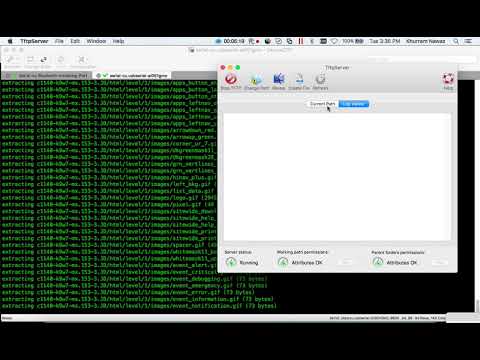
In this video I will show you how to convert Cisco lightweight access point to Autonomous or standalone access point.
Commands: -
# ap: delete flash:private-config
# ap: delete flash:private-multiple-fs
# ap: set IP_ADDR 172.16.10.100
# ap: set NETMASK 255.255.255.0
# ap: set DEFAULT_ROUTER 172.16.10.12 (TFT Server/ Macbook IP)
# ap: tftp_init
# ap: ether_init
# ap: flash_init
# ap: tar -xtract tftp://172.16.10.12/c1140-k9w7-tar.153-3.JD.tar flash:
# ap: set BOOT flash:/c1140-k9w7-mx.153-3.JD/c1140-k9w7-mx.153-3.JD
write set to view the parameters
# ap: set
make sure
BOOT=flash:/c1140-k9w7-tar.153-3.JD/c1140-k9w7-tar.153-3.JD
# ap: boot
If you have any questions please drop a comment, thank you!
Commands: -
# ap: delete flash:private-config
# ap: delete flash:private-multiple-fs
# ap: set IP_ADDR 172.16.10.100
# ap: set NETMASK 255.255.255.0
# ap: set DEFAULT_ROUTER 172.16.10.12 (TFT Server/ Macbook IP)
# ap: tftp_init
# ap: ether_init
# ap: flash_init
# ap: tar -xtract tftp://172.16.10.12/c1140-k9w7-tar.153-3.JD.tar flash:
# ap: set BOOT flash:/c1140-k9w7-mx.153-3.JD/c1140-k9w7-mx.153-3.JD
write set to view the parameters
# ap: set
make sure
BOOT=flash:/c1140-k9w7-tar.153-3.JD/c1140-k9w7-tar.153-3.JD
# ap: boot
If you have any questions please drop a comment, thank you!
About this tutorial
Networking with Khurram Nawaz published this 8:42 video tutorial on November 15, 2017. It has been watched 51,738 times on YouTube.
- Category
- Education
- Duration
- 8:42
- Published
- November 15, 2017
- Views
- 51,738
- Likes
- 262
Tags
Share
This tutorial in other languages
- FRComment convertir un point d'accès Cisco de la légère à autonome par Khurram Nawaz
- ESCómo convertir un Cisco AP de peso ligero a Khurram Autónoma por Nawaz
- PTComo converter um Cisco AP de leve para Autónoma por Khurram Nawaz
- ITCome convertire un Cisco AP da leggero a Autonoma da Khurram Nawaz
- DEWie ein Cisco AP von Leichtbau in den autonomen von Khurram Nawaz konvertieren
- NLHoe maak je een Cisco AP converteren van Lightweight bij Autonome door Khurram Nawaz
- RUКак преобразовать Cisco AP от Lightweight автономный от Khurram Наваз
- PLJak przekonwertować Cisco AP z lekkiego autonomicznym przez Khurram Nawaz
- JAKhurramナワズで軽量から自律へのCisco APを変換する方法
- ARكيفية تحويل سيسكو AP من الخفيف إلى الحكم عن طريق خرام نواز
- HIकैसे खुर्रम नवाज द्वारा स्वायत्त करने के लिए हल्के से एक सिस्को एपी कन्वर्ट करने के लिए
- IDBagaimana mengkonversi Cisco AP dari Ringan Otonomi oleh Khurram Nawaz