Playback starts YouTube’s embedded player (privacy-enhanced mode).
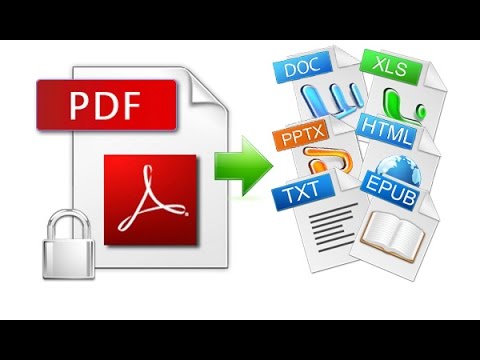
How To Convert Any File To PDF in Windows 10 Tutorial
ChannelThe TeacherDescription from the creator
Are you looking for a hassle-free way to convert your documents into PDF format on Windows 10? Look no further! In this comprehensive tutorial, we'll guide you through the process of using the Microsoft Print To PDF feature, a built-in tool in Windows 10 that simplifies the conversion process.
**Key Notes:**
🖨️ **Print To PDF Feature**: Discover the power of Windows 10's hidden gem - the Print To PDF feature. No need for third-party software; this built-in utility can transform your files into PDFs seamlessly.
🔍 **Checking Printer Installation**: Not sure if Print To PDF is installed on your system? Learn how to check its availability quickly through your Control Panel and Devices and Printers.
📄 **Simple Conversion Steps**: Follow our step-by-step instructions to effortlessly convert your documents to PDF format. Whether it's a Word document, Excel spreadsheet, or any other file type, we've got you covered.
📝 **Customization Options**: Explore the customization options available when using Print To PDF. Tailor your PDF's page orientation and paper size to suit your needs.
💾 **File Naming**: Choose a suitable name for your PDF document and save it with ease. You'll see that "Save As type" is already set to PDF for your convenience.
👀 **Built-in PDF Readers**: Discover that you don't need to install third-party PDF readers. Windows 10 and Windows 11 include their own PDF readers. Even Microsoft Edge can open PDF files seamlessly.
🌐 **Connect with Us**: If you find this tutorial helpful, don't forget to leave a comment and subscribe to our channel for more informative tutorials on Windows 10 and other tech-related topics. Visit our website for additional resources.
Whether you're a seasoned Windows user or new to the platform, this tutorial is designed to simplify the process of converting files to PDF on Windows 10. Say goodbye to the complexities of third-party software and embrace the convenience of Microsoft's Print To PDF feature. Join us on this journey to streamline your document management and PDF creation process.
👧 Narrated By:
Emma (TTS)
💞 Support For A Cause @ patreon.com/TheTeacher
👨 Recommended Videos:
How to Check Internet Data Usage in Windows
youtu.be/WDthzmrAgjE
🔔 Subscribe for more tutorials: youtube.com/TheTeacher?sub_confirmation=1
📝 Learn More, Visit: theteacherpoint.com
✅ Recommend Playlists:
🔹 Microsoft Windows 10 Tutorial Series Playlist
bit.ly/Windows-10-Tutorials-Playlist
🔸 Best Tips and Tricks Tutorial Series Playlist
bit.ly/Tips-and-Tricks-Tutorials-Playlist
👌 Follow Me :
Twitter - twitter.com/TheTeacherPoint
Facebook - facebook.com/TheTeacherPoint
Instagram - instagram.com/TheTeacherPoint/
Pinterest - in.pinterest.com/TheTeacherPoint/
#pdf #theteacher #windows10 #windows10tutorial #theteacherpoint
🌻 A Microsoft Windows 10 Tutorial By The Teacher
**Key Notes:**
🖨️ **Print To PDF Feature**: Discover the power of Windows 10's hidden gem - the Print To PDF feature. No need for third-party software; this built-in utility can transform your files into PDFs seamlessly.
🔍 **Checking Printer Installation**: Not sure if Print To PDF is installed on your system? Learn how to check its availability quickly through your Control Panel and Devices and Printers.
📄 **Simple Conversion Steps**: Follow our step-by-step instructions to effortlessly convert your documents to PDF format. Whether it's a Word document, Excel spreadsheet, or any other file type, we've got you covered.
📝 **Customization Options**: Explore the customization options available when using Print To PDF. Tailor your PDF's page orientation and paper size to suit your needs.
💾 **File Naming**: Choose a suitable name for your PDF document and save it with ease. You'll see that "Save As type" is already set to PDF for your convenience.
👀 **Built-in PDF Readers**: Discover that you don't need to install third-party PDF readers. Windows 10 and Windows 11 include their own PDF readers. Even Microsoft Edge can open PDF files seamlessly.
🌐 **Connect with Us**: If you find this tutorial helpful, don't forget to leave a comment and subscribe to our channel for more informative tutorials on Windows 10 and other tech-related topics. Visit our website for additional resources.
Whether you're a seasoned Windows user or new to the platform, this tutorial is designed to simplify the process of converting files to PDF on Windows 10. Say goodbye to the complexities of third-party software and embrace the convenience of Microsoft's Print To PDF feature. Join us on this journey to streamline your document management and PDF creation process.
👧 Narrated By:
Emma (TTS)
💞 Support For A Cause @ patreon.com/TheTeacher
👨 Recommended Videos:
How to Check Internet Data Usage in Windows
youtu.be/WDthzmrAgjE
🔔 Subscribe for more tutorials: youtube.com/TheTeacher?sub_confirmation=1
📝 Learn More, Visit: theteacherpoint.com
✅ Recommend Playlists:
🔹 Microsoft Windows 10 Tutorial Series Playlist
bit.ly/Windows-10-Tutorials-Playlist
🔸 Best Tips and Tricks Tutorial Series Playlist
bit.ly/Tips-and-Tricks-Tutorials-Playlist
👌 Follow Me :
Twitter - twitter.com/TheTeacherPoint
Facebook - facebook.com/TheTeacherPoint
Instagram - instagram.com/TheTeacherPoint/
Pinterest - in.pinterest.com/TheTeacherPoint/
#pdf #theteacher #windows10 #windows10tutorial #theteacherpoint
🌻 A Microsoft Windows 10 Tutorial By The Teacher
About this tutorial
The Teacher published this 1:46 video tutorial on November 7, 2015. It has been watched 290,597 times on YouTube.
- Channel
- The Teacher
- Category
- Education
- Duration
- 1:46
- Published
- November 7, 2015
- Views
- 290,597
- Likes
- 1,542
Tags
Share
This tutorial in other languages
- FRComment convertir un fichier au format PDF dans Windows 10 Tutoriel
- ESCómo convertir cualquier archivo a PDF en Windows 10 Tutorial
- PTComo converter qualquer arquivo para PDF no Windows 10 Tutorial
- ITCome convertire qualsiasi file PDF in Windows 10 Tutorial
- DEWie man eine beliebige Datei PDF in Windows 10 Tutorial konvertieren
- NLHoe een bestand te converteren naar PDF-bestand in Windows 10 Tutorial
- RUКак конвертировать любой файл в формате PDF в Windows 10 Учебное пособие
- PLJak przekonwertować dowolny plik do PDF w systemie Windows 10 Tutorial
- JAWindowsの10のチュートリアルでPDFに任意のファイルを変換する方法
- ARكيفية تحويل أي ملف إلى PDF في نظام التشغيل Windows 10 دروس
- HIकैसे Windows 10 ट्यूटोरियल में पीडीएफ करने के लिए किसी भी फ़ाइल को रूपांतरित करने
- IDCara Mengkonversi File Untuk PDF di Windows 10 Tutorial