Playback starts YouTube’s embedded player (privacy-enhanced mode).
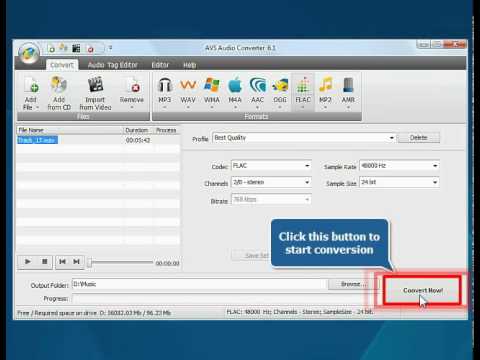
How to convert your audio track to FLAC using AVS Audio Converter?
Channelavs4youDescription from the creator
avs4you.com - How to keep your favourite music in high quality? Just convert it to FLAC format, which is Free Lossless Audio Codec. That's easy with AVS Audio Converter. Here is the quick & easy video guide.
Program: AVS Audio Converter
Download: avs4you.com/AVS-Audio-Converter.aspx
Buy: avs4you.com/Register.aspx
Online Support: support.avs4you.com/Support.aspx
Note! AVS4YOU® programs do not allow you to copy protected material.
Program: AVS Audio Converter
Download: avs4you.com/AVS-Audio-Converter.aspx
Buy: avs4you.com/Register.aspx
Online Support: support.avs4you.com/Support.aspx
Note! AVS4YOU® programs do not allow you to copy protected material.
About this tutorial
avs4you published this 1:02 video tutorial on November 2, 2010. It has been watched 29,406 times on YouTube.
Tags
Share
This tutorial in other languages
- FRComment convertir votre piste audio en FLAC en utilisant AVS Audio Converter?
- ESCómo convertir su pista de audio a FLAC con AVS Audio Converter?
- PTComo converter sua faixa de áudio de FLAC usando AVS Audio Converter?
- ITCome convertire la traccia audio da FLAC utilizzando AVS Audio Converter?
- DEWie Sie Ihre Audiospur FLAC mit dem AVS Audio Converter?
- NLHoe kunt u uw audio track te converteren naar FLAC met behulp van AVS Audio Converter?
- RUКак конвертировать аудио дорожки в FLAC с помощью AVS Audio Converter?
- PLJak przekonwertować ścieżkę dźwiękową do FLAC przy użyciu AVS Audio Converter?
- JAAVSオーディオコンバータを使用してFLACにオーディオトラックを変換する方法?
- ARكيفية تحويل مسار الصوت لFLAC باستخدام AVS تحويل الصوت؟
- HIकैसे AVS ऑडियो कनवर्टर का उपयोग कर FLAC अपने ऑडियो ट्रैक को परिवर्तित करने के लिए?
- IDBagaimana mengkonversi track audio ke FLAC menggunakan AVS Audio Converter?