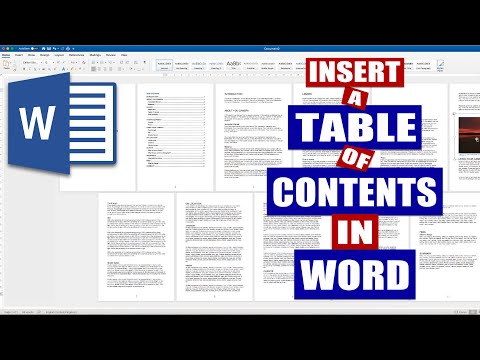
Playback starts YouTube’s embedded player (privacy-enhanced mode).
How to Create a Table of Contents in Word | Microsoft Word Tutorial
ChannelLisa DoeDescription from the creator
In this step-by-step 'How to Create a Table of Contents in Word' tutorial I show you the simplest way to set up a perfect table of contents that's automated when editing your work. So you've come to the end of your document, story, report, thesis, etc and now you need to complete all those detail bits to formulate your project into a professional looking document. This, of course, includes a TABLE OF CONTENTS, allowing your reader to have a brief overview of what is contained in the document but also to allow them to turn to the page they are most interested in reading. Don't know how to do it....LOOK NO FURTHER!! This QUICK and SIMPLE guide helps you to navigate the Word toolbars to achieve a smart and professional looking table of contents.
#tableofcontents
#tableofcontentsinword
#createtableofcontents
Microsoft Office 365 - microsoft.msafflnk.net/x3yAA
The above link is an affiliate link. If you click on it and purchase a product you will not pay a penny more but I will gain a small commission to help keep the lights on!!!
This video show you how to insert a Table of Contents within a document. I show you how to insert a blank page between the cover page and first page of content and then how to select the titles for the table. I also show you how to select subheadings for the table and how to update the table as you edit your document. I also show you how to insert page numbers, edit them and change the font. Further more I show you how to view multiple pages of your document in order to make the process easier and quicker.
A list of titles of the parts of a book or document, organized in the order in which the parts appear.
Table of contents can be used in a thesis, dissertation, book, ebook, instruction manual, training manual, education manual, training pack for a workshop, a report, an exam paper, an essay or a paper. The table of content will help guide your reader through the document or to a particular section they wish to read.
You cannot generate any automatic tables without first using styles effectively throughout your document. Microsoft Word can scan your document and find everything in the Heading 1 style and put that on the first level of your table of contents, put any Heading 2’s on the second level of your table of contents, and so on.
If you want an automatic table of contents you need to label all of your chapter titles and front matter headings (e.g. “Dedication” and “Acknowledgements”) in the style Heading 1. All major headings within your chapters should be labeled Heading 2. All subheadings should be labeled Heading 3, and so on.
If you have used Heading styles in your document, creating an automatic table of contents is easy.
Place your cursor where you want your table of contents to be.
On the References Ribbon, in the Table of Contents Group, click on the arrow next to the Table of Contents icon, and select Insert Table of Contents….
If you want to change which headings appear in your table of contents, you can do so by changing the number in the Show levels: pulldown.
Click OK to insert your table of contents.
The table of contents is a snapshot of the headings and page numbers in your document. At any time, you can update it by right-clicking on it and selecting Update field. Notice that once the table of contents is in your document, it will turn gray if you click on it. This indicates that it is getting information from somewhere else.
How to insert a Table of Contents in Word, create a table of contents in word, insert a table of contents in word, put table of contents in word, how to insert a table of contents in word, how to do table of contents in word, contents page on word, insert table of contents ,make table of contents, create table of contents, table of contents in word, insert contents page word, contents page word, make contents page word, insert table of contents word, table of contents word
#tableofcontents
#tableofcontentsinword
#createtableofcontents
Microsoft Office 365 - microsoft.msafflnk.net/x3yAA
The above link is an affiliate link. If you click on it and purchase a product you will not pay a penny more but I will gain a small commission to help keep the lights on!!!
This video show you how to insert a Table of Contents within a document. I show you how to insert a blank page between the cover page and first page of content and then how to select the titles for the table. I also show you how to select subheadings for the table and how to update the table as you edit your document. I also show you how to insert page numbers, edit them and change the font. Further more I show you how to view multiple pages of your document in order to make the process easier and quicker.
A list of titles of the parts of a book or document, organized in the order in which the parts appear.
Table of contents can be used in a thesis, dissertation, book, ebook, instruction manual, training manual, education manual, training pack for a workshop, a report, an exam paper, an essay or a paper. The table of content will help guide your reader through the document or to a particular section they wish to read.
You cannot generate any automatic tables without first using styles effectively throughout your document. Microsoft Word can scan your document and find everything in the Heading 1 style and put that on the first level of your table of contents, put any Heading 2’s on the second level of your table of contents, and so on.
If you want an automatic table of contents you need to label all of your chapter titles and front matter headings (e.g. “Dedication” and “Acknowledgements”) in the style Heading 1. All major headings within your chapters should be labeled Heading 2. All subheadings should be labeled Heading 3, and so on.
If you have used Heading styles in your document, creating an automatic table of contents is easy.
Place your cursor where you want your table of contents to be.
On the References Ribbon, in the Table of Contents Group, click on the arrow next to the Table of Contents icon, and select Insert Table of Contents….
If you want to change which headings appear in your table of contents, you can do so by changing the number in the Show levels: pulldown.
Click OK to insert your table of contents.
The table of contents is a snapshot of the headings and page numbers in your document. At any time, you can update it by right-clicking on it and selecting Update field. Notice that once the table of contents is in your document, it will turn gray if you click on it. This indicates that it is getting information from somewhere else.
How to insert a Table of Contents in Word, create a table of contents in word, insert a table of contents in word, put table of contents in word, how to insert a table of contents in word, how to do table of contents in word, contents page on word, insert table of contents ,make table of contents, create table of contents, table of contents in word, insert contents page word, contents page word, make contents page word, insert table of contents word, table of contents word
About this tutorial
Lisa Doe published this 6:07 video tutorial on November 11, 2019. It has been watched 20,051 times on YouTube.
Tags
Share
This tutorial in other languages
- FRComment faire pour créer une table des matières dans Word | Microsoft Word Tutorial
- ESCómo crear una tabla de contenido en Word | Microsoft Word Tutorial
- PTComo criar um índice no Word | Microsoft Word Tutorial
- ITCome creare un sommario in Word | Microsoft Word Tutorial
- DEWie ein Inhaltsverzeichnis in Word erstellen | Microsoft Word Tutorial
- NLHoe maak je een inhoudsopgave in Word aanmaken | Microsoft Word Tutorial
- RUКак создать оглавление в словах | Microsoft Учебное пособие Слово
- PLJak utworzyć spis treści w programie Word | Microsoft Word Tutorial
- JAWordで目次を作成する方法| Microsoft Wordのチュートリアル
- ARكيفية إنشاء جدول المحتويات في Word | مايكروسوفت وورد دروس
- HIकैसे वर्ड में सामग्री की एक तालिका बनाने के लिए | माइक्रोसॉफ्ट वर्ड ट्यूटोरियल
- IDCara Membuat Daftar Isi di Word | Microsoft Word Tutorial