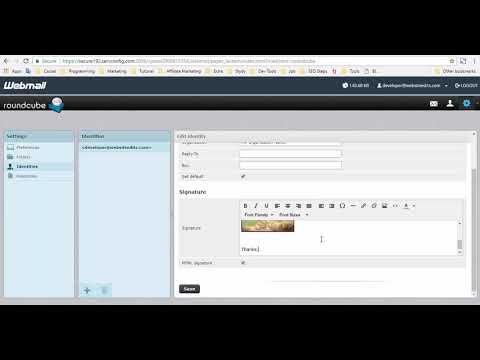
Playback starts YouTube’s embedded player (privacy-enhanced mode).
How to create an email signature on Webmail
ChannelMd. Eliass HossainDescription from the creator
This is an old interface I have made a new video only 5 steps you add a Signature. Check this video youtu.be/FOoDhIUQOO0
Email signatures are generally used to display the sender's name and contact information at the end of an email. Sometimes they are used to give website links or even memorable anecdotes. Regardless of what you wish to make your signature say, it is much easier if this content is automatically added to the end of every email instead of having to add it manually for each email. Below are instructions that teach you how to add your own custom email signature within your RoundCube email client.
Creating an Email Signature in RoundCube
Step1: Log into your Webmail dashboard and choose the RoundCube option.
Step2: From the RoundCube dashboard, click on the Settings option in the upper right corner of the screen.
Step3: This brings you to the RoundCube Settings screen. Locate and click on the Identities tab.
Step4: You are now on the Identities list screen. Find and click on the desired identity in the left hand panel. In this example, there is only one. Clicking on the identity brings up two tabs in the right hand panel. Click on the Signatures tab. (If you wish to use HTML in your signature, simply click the HTML Signature checkbox. This will cause the Signature field to display as shown below, allowing for special formatting. )
Step5: Enter your desired custom signature in the Signature field. Once entered, click on the Save button located underneath the tabs.
Step6: Remember that you will need to enable "Display HTML" in the Displaying Messages setting of RoundCube. If you don't have this setting checked, then you will not see your HTML signature. Congratulations, now you know how to create an email signature in RoundCube!
webmail signature add image
how to add signature in horde webmail
how to add signature in roundcube webmail
how to create html signature in webmail
how to add image signature in roundcube webmail
how to insert image in webmail
Email signatures are generally used to display the sender's name and contact information at the end of an email. Sometimes they are used to give website links or even memorable anecdotes. Regardless of what you wish to make your signature say, it is much easier if this content is automatically added to the end of every email instead of having to add it manually for each email. Below are instructions that teach you how to add your own custom email signature within your RoundCube email client.
Creating an Email Signature in RoundCube
Step1: Log into your Webmail dashboard and choose the RoundCube option.
Step2: From the RoundCube dashboard, click on the Settings option in the upper right corner of the screen.
Step3: This brings you to the RoundCube Settings screen. Locate and click on the Identities tab.
Step4: You are now on the Identities list screen. Find and click on the desired identity in the left hand panel. In this example, there is only one. Clicking on the identity brings up two tabs in the right hand panel. Click on the Signatures tab. (If you wish to use HTML in your signature, simply click the HTML Signature checkbox. This will cause the Signature field to display as shown below, allowing for special formatting. )
Step5: Enter your desired custom signature in the Signature field. Once entered, click on the Save button located underneath the tabs.
Step6: Remember that you will need to enable "Display HTML" in the Displaying Messages setting of RoundCube. If you don't have this setting checked, then you will not see your HTML signature. Congratulations, now you know how to create an email signature in RoundCube!
webmail signature add image
how to add signature in horde webmail
how to add signature in roundcube webmail
how to create html signature in webmail
how to add image signature in roundcube webmail
how to insert image in webmail
About this tutorial
Md. Eliass Hossain published this 5:18 video tutorial on November 11, 2018. It has been watched 52,665 times on YouTube.
- Channel
- Md. Eliass Hossain
- Category
- Education
- Duration
- 5:18
- Published
- November 11, 2018
- Views
- 52,665
- Likes
- 143
Tags
Share
This tutorial in other languages
- FRComment créer une signature électronique sur WebMail
- ESCómo crear una firma de correo electrónico en Webmail
- PTComo criar uma assinatura de e-mail no Webmail
- ITCome creare una firma e-mail su Webmail
- DEWie eine E-Mail Unterschrift auf Webmail erstellen
- NLHoe kan ik een e-mail handtekening op Webmail creëren
- RUКак создать адрес электронной подписи на веб-интерфейс
- PLJak utworzyć podpis e-mail na Webmail
- JAWebメールでメールの署名を作成する方法
- ARكيفية إنشاء التوقيع الالكتروني على البريد الالكتروني
- HIकैसे वेबमेल पर एक ईमेल हस्ताक्षर बनाने के लिए
- IDCara membuat tanda tangan email di Webmail