Playback starts YouTube’s embedded player (privacy-enhanced mode).
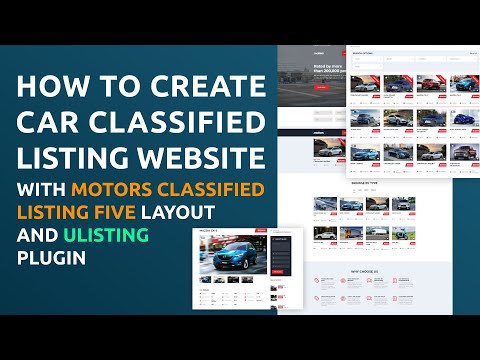
How to Create Car Classified Listing Website with uListing Plugin | Motors WordPress Theme
ChannelStylemixThemesDescription from the creator
00:21 - Demo Import
00:42 - uListing Settings
04:38 - New listing type creation
04:56 - Attributes
06:46 - Search forms
08:36 - Listing order
09:34 - Grid preview
11:36 - List preview
12:03 - Single page view
12:55 - Inventory layout
13:02 - Submit form
13:40 - Listing compare
14:10 - How to publish new listing
15:13 - Pricing plans
16:09 - STM Classified Five Elements
Motors theme community: facebook.com/groups/motorstheme/
Motors is one of the best Car Dealer, Rental & Classifieds WordPress themes. This is a perfect toolset for you to build a professional classified website.
In this tutorial, we are going to show you how to create such a type of website using the new Motors template Classified Listing Five and an innovative uListing plugin.
Classified Listing Five is powered by the uListing plugin and includes the plugin itself, uListing Compare and uListing Wishlist addons in the bundle.
Through the WPBakery Page Builder, you also can add special elements STM Classified Five that extend the capabilities of your website and make it look good.
Follow the tutorial to learn how to build your classified website with the best software.
Find more:
Motors WordPress Theme: motors.stylemixthemes.com/landing/
Classified Ads (with different types) Demo - motors.stylemixthemes.com/classified-five/
uListing plugin: stylemixthemes.com/addons/ulisting/
#wordpress #plugin #directory #classifieds #ulisting #car #listing
00:42 - uListing Settings
04:38 - New listing type creation
04:56 - Attributes
06:46 - Search forms
08:36 - Listing order
09:34 - Grid preview
11:36 - List preview
12:03 - Single page view
12:55 - Inventory layout
13:02 - Submit form
13:40 - Listing compare
14:10 - How to publish new listing
15:13 - Pricing plans
16:09 - STM Classified Five Elements
Motors theme community: facebook.com/groups/motorstheme/
Motors is one of the best Car Dealer, Rental & Classifieds WordPress themes. This is a perfect toolset for you to build a professional classified website.
In this tutorial, we are going to show you how to create such a type of website using the new Motors template Classified Listing Five and an innovative uListing plugin.
Classified Listing Five is powered by the uListing plugin and includes the plugin itself, uListing Compare and uListing Wishlist addons in the bundle.
Through the WPBakery Page Builder, you also can add special elements STM Classified Five that extend the capabilities of your website and make it look good.
Follow the tutorial to learn how to build your classified website with the best software.
Find more:
Motors WordPress Theme: motors.stylemixthemes.com/landing/
Classified Ads (with different types) Demo - motors.stylemixthemes.com/classified-five/
uListing plugin: stylemixthemes.com/addons/ulisting/
#wordpress #plugin #directory #classifieds #ulisting #car #listing
About this tutorial
StylemixThemes published this 16:56 video tutorial on April 13, 2020. It has been watched 38,682 times on YouTube.
- Channel
- StylemixThemes
- Category
- Education
- Duration
- 16:56
- Published
- April 13, 2020
- Views
- 38,682
- Likes
- 317
Tags
Share
This tutorial in other languages
- FRComment créer voiture classée Site Liste avec uListing Plugin | Thème Motors WordPress
- ESCómo crear coches clasificados de venta Sitio web con uListing Plugin | Motores WordPress Tema
- PTComo criar Car classificados Listagem site com uListing Plugin | Motors WordPress Tema
- ITCome creare auto riservato elenco Sito web con uListing Plugin | Motori WordPress Theme
- DESo erstellen Auto Klassifiziert Eintrag Webseite mit uListing Plugin | Motoren Wordpress Theme
- NLHoe kan ik Car Maak zoekertje aanbieding Website met uListing Plugin | Motors WordPress Theme
- RUКак создать автомобиль доска объявлений Сайт с uListing Plugin | Моторы WordPress Theme
- PLJak stworzyć samochód Sklasyfikowane Zamieszczone WWW z uListing Plugin | Silniki WordPress
- JA車を作成する方法uListingプラグインで上場のウェブサイトが分類|モーターズワードプレスのテーマ
- ARكيفية إنشاء السيارات تصنف قائمة الموقع مع uListing المساعد | المحركات وورد موضوع
- HIकैसे कार बनाने के लिए वर्गीकृत uListing प्लगइन के साथ लिस्टिंग वेबसाइट | मोटर्स वर्डप्रेस थीम
- IDCara Membuat Mobil Baris Listing Website dengan uListing Plugin | Tema motor WordPress