Playback starts YouTube’s embedded player (privacy-enhanced mode).
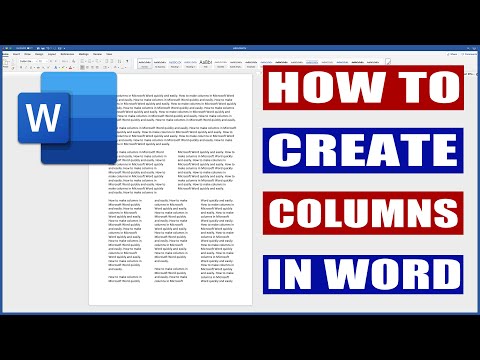
How to create columns in Word | Microsoft Word Tutorials
ChannelLisa DoeDescription from the creator
Microsoft Office 365 - microsoft.msafflnk.net/x3yAA
The above link is an affiliate link. If you click on it and purchase a product you will not pay a penny more but I will gain a small commission to help keep the lights on!!!
Columns can be combined with text, graphs, images or even diagrams. In this video I show you how to convert your text into columns in word. I show you how to select text, adjust margins and make sections of columns stand out using colour.
Sometimes you may need a whole page of text converted into columns and other times it's simply one paragraph. either way this tutorial shows you how.
Perhaps you're writing a magazine article that will nearly always need columns for the text or simply to leave space for advertising. Maybe you are writing for a school or college newpaper and once again need the columns in order to produce a professional looking article.
Of course, sometimes adding columns is simply that it gives the look of your document more interest (but too many columns can be irritating).
Your whole document doesn’t have to sport just one column format. You can split things up so that part of the document is in one column and another part is in two columns, and then maybe another part goes back to just one column. The secret is to use the Columns dialog box.
When you’re choosing a new column format, be sure to select the Apply To drop-down list. When you choose Whole Document, the format applies to the entire document. If you choose This Point Forward, the new columns start at the insertion pointer’s location.
The easiest way to undo a multicolumn document is to return it to a single column. From the Columns button in the Page Layout tab, choose the item One. That restores your document back to single column mode, which is how Word naturally creates documents.
You can format your entire document into multiple columns or restrict this formatting to only selected text. To select the entire document, press "Ctrl-A" or click and drag to select only a portion of the document. Clicking "Page Layout" and then "Columns" presents several preconfigured column formats, such as three evenly spaced columns or two columns of differing widths. For more control of the layout, select "More Columns." The resulting window enables you to configure the number of columns, individual spacing and divider lines.
The Word columns tool lets you divide the page vertically into two or more columns in such a way that text that you type into them runs down the first column until it is full and then it snakes over to start again at the top of the second column. When this column is full, the text snakes up and begins to fill the third column, if there is one. If not, a new page is begun and the text begins to fill the first column of the new page.
This column feature is also known as newspaper columns and they are obviously handy for newsletters but they also work well for training documents. You may find you get more text on the page if you use columns and it looks neater and more professional.
In addition, text is more easily read when in columns because the line of text is shorter.
About this tutorial
Lisa Doe published this 5:02 video tutorial on October 26, 2019. It has been watched 174,011 times on YouTube.
Tags
Share
Further reading
-
Create Columns in Word - Instructions and Video Lesson
teachucomp.com
The following video lesson, titled “ Creating Columns in a Document,” shows you how to create columns in Word. This video lesson is from our complete Word tutorial, titled “ Mastering Word Made Easy v.2016-2013.”
-
How to Make Rows & Columns in Word Documents | Techwalla
techwalla.com
Click the "Columns" button. Click one of the options from the drop-down menu, such as "Three." Note that nothing on the Word working page appears to change since there is no text yet, but the small ruler at the top of t…
-
How to Add Columns in Microsoft Word: 15 Steps (with Pictures)
wikihow.com
In Word, type the lines of text in a single column anywhere in the document. Then, select the lines of text and click the Page Layout tab. In the Page Setup options, click Columns and select the desired number of column…
This tutorial in other languages
- FRComment créer des colonnes dans Word | Microsoft Word Tutoriels
- ESCómo crear columnas en Word | Microsoft Word tutoriales
- PTComo criar colunas no Word | Microsoft Word Tutoriais
- ITCome creare colonne in Word | Microsoft Word Tutorial
- DEWie Spalten in Word erstellen | Microsoft Word Tutorials
- NLHoe kan ik kolommen in Word te creëren | Microsoft Word Tutorials
- RUКак создать столбцы в словах | Microsoft Word Учебники
- PLJak tworzyć kolumn w programie Word | Microsoft Word Poradniki
- JAWordでの列を作成する方法| Microsoft Wordのチュートリアル
- ARكيفية إنشاء أعمدة في Word | مايكروسوفت وورد دروس
- HIकैसे वर्ड में कॉलम बनाने के लिए | माइक्रोसॉफ्ट वर्ड ट्यूटोरियल
- IDCara membuat kolom di Word | Microsoft Word Tutorial