Playback starts YouTube’s embedded player (privacy-enhanced mode).
How to Create Easy Flipbook Animation Effect in PowerPoint
ChannelPresentation ProcessDescription from the creator
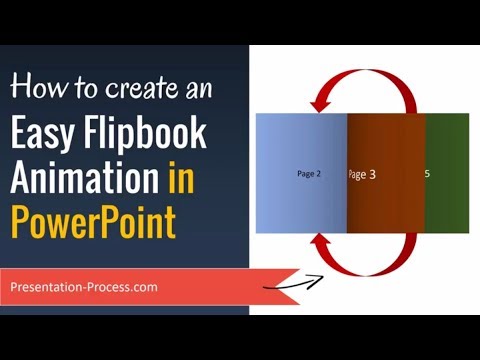
Learn how to create a Flipbook animation in PowerPoint with the native transition effect in PowerPoint. This effect is great for brochures and self-running presentations.
To start with, we make the slide look like an open book with 2 pages to each slide. You can add as many pages as you like. Then we add the relevant transition effect to complete the Flipbook effect.
This video is created by Ramgopal with PowerPoint 2016 for Office 365
Link to PowerPoint Foundation Course: shop.presentation-process.com/p/complete-powerp…
*Top Products from Presentation Process*
Comprehensive All In One PowerPoint TEMPLATES Bundle 2.0 : shop.presentation-process.com/p/comprehensive-a…
Ramgopals PowerPoint Mastery TRAINING Program 2.0: shop.presentation-process.com/p/powerpoint-mast…
All Templates & Training we offer: shop.presentation-process.com/
*Products we love, use, and recommend*
Video Editing Software: techsmith.z6rjha.net/c/1877507/347799/5161
Thumbnails & Graphic Design: partner.canva.com/c/1877507/619765/10068
Short Online Courses: skillshare.eqcm.net/c/1877507/298081/4650
PNG Graphics: pngtree.com/?sce=af&id=14038
Vector Stock Photos & Videos: vecteezycom.sjv.io/c/1877507/883105/12240
Royalty-Free Stock Images: pixabay.com/
Mike for recording: Boya Omnidirectional Lavalier Condenser
PowerPoint Version: Office 365
*Note these are affiliate links. I get a small commission when you buy using the link, without any additional cost to you.
To start with, we make the slide look like an open book with 2 pages to each slide. You can add as many pages as you like. Then we add the relevant transition effect to complete the Flipbook effect.
This video is created by Ramgopal with PowerPoint 2016 for Office 365
Link to PowerPoint Foundation Course: shop.presentation-process.com/p/complete-powerp…
*Top Products from Presentation Process*
Comprehensive All In One PowerPoint TEMPLATES Bundle 2.0 : shop.presentation-process.com/p/comprehensive-a…
Ramgopals PowerPoint Mastery TRAINING Program 2.0: shop.presentation-process.com/p/powerpoint-mast…
All Templates & Training we offer: shop.presentation-process.com/
*Products we love, use, and recommend*
Video Editing Software: techsmith.z6rjha.net/c/1877507/347799/5161
Thumbnails & Graphic Design: partner.canva.com/c/1877507/619765/10068
Short Online Courses: skillshare.eqcm.net/c/1877507/298081/4650
PNG Graphics: pngtree.com/?sce=af&id=14038
Vector Stock Photos & Videos: vecteezycom.sjv.io/c/1877507/883105/12240
Royalty-Free Stock Images: pixabay.com/
Mike for recording: Boya Omnidirectional Lavalier Condenser
PowerPoint Version: Office 365
*Note these are affiliate links. I get a small commission when you buy using the link, without any additional cost to you.
About this tutorial
Presentation Process published this 6:41 video tutorial on November 9, 2018. It has been watched 324,581 times on YouTube.
- Channel
- Presentation Process
- Category
- Education
- Duration
- 6:41
- Published
- November 9, 2018
- Views
- 324,581
- Likes
- 3,901
Tags
Share
This tutorial in other languages
- FRComment créer facile Flipbook effet d'animation dans PowerPoint
- ESCómo crear fácil Flipbook efecto de animación en PowerPoint
- PTComo criar Fácil Flipbook efeito de animação no PowerPoint
- ITCome creare Facile Flipbook effetto di animazione in PowerPoint
- DEWie Easy Flipbook Animationseffekt in Powerpoint erstellen
- NLHoe maak je makkelijk Flipbook Effect van de Animatie in PowerPoint
- RUКак создать Easy Flipbook эффект анимации в PowerPoint
- PLJak utworzyć Łatwy Flipbook EFEKT ANIMACJI w programie PowerPoint
- JAPowerPointで簡単フリップブックアニメーションエフェクトを作成する方法
- ARكيفية إنشاء سهلة دفتر صور متحركة الرسوم المتحركة تأثير في PowerPoint
- HIकैसे PowerPoint में आसान Flipbook एनीमेशन प्रभाव बनाने के लिए
- IDCara Membuat Mudah Flipbook Animation Effect di PowerPoint