Playback starts YouTube’s embedded player (privacy-enhanced mode).
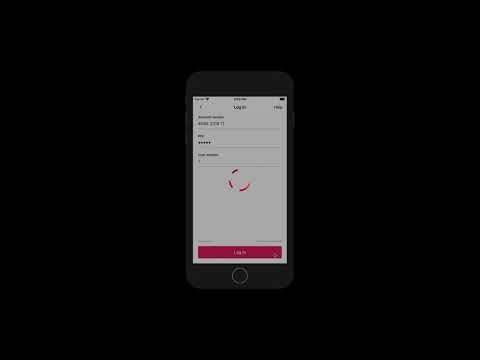
How to delete and re-register the Absa Banking App
ChannelAbsa South AfricaDescription from the creator
Experiencing problems with the Absa Banking App? For a quick fix, follow the four steps below, to delete the Banking App from your smartphone and re-register it.
1) Delete the Baking App from your phone.
2) Download the Absa Banking App from your device’s app store.
3) Re-register the Banking App by entering your Absa Online access credentials, including access account number, PIN, user number and Password, as well as your Absa ATM Card number and PIN.
4) Enter your ATM Card number and PIN and create a passcode for the Absa Banking App. A prompt will appear, guiding you to make this device your verification device.
After the completion of the steps above, you’ll be able continue using the Banking App as per normal.
1) Delete the Baking App from your phone.
2) Download the Absa Banking App from your device’s app store.
3) Re-register the Banking App by entering your Absa Online access credentials, including access account number, PIN, user number and Password, as well as your Absa ATM Card number and PIN.
4) Enter your ATM Card number and PIN and create a passcode for the Absa Banking App. A prompt will appear, guiding you to make this device your verification device.
After the completion of the steps above, you’ll be able continue using the Banking App as per normal.
About this tutorial
Absa South Africa published this 2:01 video tutorial on February 27, 2020. It has been watched 67,791 times on YouTube.
- Channel
- Absa South Africa
- Category
- Education
- Duration
- 2:01
- Published
- February 27, 2020
- Views
- 67,791
- Likes
- 98
Tags
Share
This tutorial in other languages
- FRComment supprimer et réinscrire l'App bancaire Absa
- ESCómo eliminar y volver a registrar la Aplicación de Banca Absa
- PTComo excluir e re-registrar o Absa Banking App
- ITCome cancellare e registrare nuovamente l'Absa Banking app
- DEWie zu löschen und neu registrieren, die Absa Banking App
- NLHoe te verwijderen en opnieuw te registreren de Absa Bankieren App
- RUКак удалить и повторно зарегистрировать Абс Banking App
- PLJak usunąć i ponownie zarejestrować Absa Bankowość App
- JAアブサバンキングアプリケーションを削除し、再登録する方法
- ARكيفية حذف وإعادة تسجيل مصارف التطبيقات عبسة
- HIकैसे नष्ट करने के लिए और अबसा बैंकिंग एप्लिकेशन पुन: पंजीकृत
- IDCara menghapus dan mendaftar ulang pada Absa Banking App